
I’ve lived that kind of morning more times than I’d like to admit — one eye on rankings, one eye on indexing, one eye somehow also on a developer ticket. If that sounds familiar, you’re in the right place. This guide is for solo marketers, in-house teams, agencies, eCommerce operators, and multi-location businesses that need tools which help you make decisions fast, not just admire dashboards.
Do you need all 12? Nope. Most teams need one core platform, one or two free essentials, and maybe a specialist tool for technical SEO, content, local visibility, or AI search surfaces. Let’s sort the useful stuff from the shiny stuff.
Selection criteria
What counted as must-have coverage
Watch This Helpful Video
To help you better understand search engine optimization tools, we’ve included this informative video from Ahrefs. It provides valuable insights and visual demonstrations that complement the written content.
I narrowed this list around real workflows. If a tool couldn’t help with the jobs SEO teams actually do every week, it didn’t make the cut. A strong 2026 stack usually covers at least a few of these buckets:
- Keyword research and search volume checks
- Rank tracking and SERP monitoring
- Competitor analysis
- Backlink analysis, including new and lost links
- Site health and crawl diagnostics
- Reporting or task management
- AI visibility or answer-surface monitoring
That checklist lines up with one competing tool comparison that groups products around rank tracker, keyword research, competitor analysis, backlink analysis, site health, reports, missions, and AI tools like a ChatGPT tracker and an AI Overviews tracker. I like that framing because it reflects how work actually gets divided between strategy, content, dev, and reporting.
How we weighed ease of use and team fit
Feature count matters. Team fit matters more. One useful cue came from a Marketer Milk guide written by someone who says they’ve spent 10 years in SEO, led SEO at Webflow, and grew a blog to more than 150K monthly visitors from SEO. That piece also labels tools by ease of use — beginner, intermediate, or advanced. Smart move.
I’ve seen small teams buy giant platforms they open twice a month, while a scrappier setup with Google Search Console, one crawler, and one content tool keeps another team moving every day. If your SEO lead is advanced but your wider team is not, the best tool is often the one that makes findings easier to share with a writer, developer, or client.
Score tools on daily usefulness and team fit, not on feature count alone.
Why AI and answer-engine visibility matter in 2026
The search results themselves tell the story here. One top-ranking page focuses specifically on AI SEO tools, and another is centered on answer engine optimization tools. That shift matters. People still search the old-fashioned way, sure, but they also scan AI-generated summaries, overview panels, and question-first results before they ever click through.
The SERPs are a little split — some comparisons stay rooted in classic SEO suites, while others swing hard toward AI-first tooling. I don’t see that as a contradiction. I see it as your 2026 reality: you still need rankings, links, and crawl health, and you also need to understand whether your brand is visible when the answer shows up before the blue links do.
| Tool | Main Job | Skill Fit | Best For |
|---|---|---|---|
| Ahrefs | All-in-one SEO research | Intermediate | Teams wanting strong link and keyword data in one place |
| Semrush | Broad SEO and competitive intelligence | Intermediate | In-house teams and agencies managing many workflows |
| Moz Pro | Approachable all-in-one platform | Beginner to Intermediate | Teams wanting a gentler learning curve |
| Google Search Console | Indexing and organic performance | Beginner | Every website owner |
| Bing Webmaster Tools | Bing search visibility | Beginner | Teams that want broader search coverage for free |
| Google Trends | Search interest validation | Beginner | Content planning and demand checks |
| Screaming Frog | Technical crawling | Intermediate to Advanced | SEOs who need raw crawl data fast |
| Sitebulb | Visual technical audits | Intermediate | Teams explaining issues to non-technical stakeholders |
| Lumar | Enterprise site health monitoring | Advanced | Large, complex websites |
| Surfer SEO | On-page content optimization | Beginner to Intermediate | Content teams refining pages already in production |
| BrightLocal | Local SEO and reputation | Beginner to Intermediate | Multi-location and review-driven businesses |
| Rankability | AI search visibility support | Intermediate | Agencies tracking client visibility in AI-assisted search |
#1-#3 Best all-in-one search engine optimization tools
If you want one main login for keyword research, backlink analysis, competitor research, and rank tracking, start here. This is the category most teams picture first, and for good reason. These platforms usually bundle the stuff one major comparison site lists under rank tracker, keyword research, competitor analysis, search volume checker, SERP checker, keyword rank checker, backlink checker, link intersect, new and lost links, and Site Explorer.
Choose the suite your team will actually open every week, not the one with the most tabs.
Ahrefs
Summary: Ahrefs is still one of the cleanest choices if you want serious keyword, backlink, and competitive research in one place. Its reputation is strongest with teams that care deeply about link data and competitor discovery. Best for: SEO teams that want a single platform for research-heavy work and don’t mind an intermediate learning curve.
Keep in mind: Ahrefs tends to shine brightest when you actually use multiple areas of the platform — not just rank tracking, not just keywords. If your workflow lives in Site Explorer and backlink gap analysis all week, it earns its seat fast.
Semrush
Summary: Semrush is the Swiss Army knife choice. It’s commonly used by in-house teams and agencies that want a broad SEO and competitive intelligence suite under one roof. Best for: Teams juggling SEO, content, reporting, and competitor monitoring across multiple stakeholders.
Keep in mind: Breadth can feel busy. I’ve seen new users bounce off the interface because there’s a lot happening. But if your team needs one platform that supports many workflows, that breadth becomes a strength rather than a nuisance.
Moz Pro
Summary: Moz Pro often gets chosen by teams that want a more approachable all-in-one tool with a gentler learning curve. It doesn’t try to impress you with sheer sprawl. That’s actually part of the appeal. Best for: Smaller in-house teams, newer SEO managers, and businesses that want solid coverage without a giant ramp-up period.
Keep in mind: If you already know you need deep technical workflows or very aggressive competitive analysis, you may outgrow it. But if clarity matters as much as raw firepower, Moz Pro stays easy to recommend.
#4-#6 Best free and foundational visibility tools

Before you spend a dollar, make sure you’re reading the signals the search engines already give you for free. These tools won’t replace an all-in-one suite, but they’re where smart teams start. And yes, the beginner/intermediate/advanced labeling used in that Marketer Milk piece supports this idea: free tools are often the best baseline because they force better habits first.
If you are not reviewing Search Console regularly, you do not have a tool problem yet—you have a habit problem.
Google Search Console
Summary: Google Search Console is the non-negotiable foundation. It’s free, it comes straight from Google, and it tells you how your site is showing up in organic search and indexing. Best for: Literally every website, from a local plumber to a national eCommerce brand.
Keep in mind: Search Console won’t answer every question, and the data can feel limited next to paid tools. Still, when I want to confirm whether Google is actually seeing, indexing, and surfacing a page, this is where I start — not where I finish.
Bing Webmaster Tools
Summary: Bing Webmaster Tools is free and often underused. If you care about broader search visibility, it gives you another direct view into indexing and performance outside Google. Best for: Teams that want extra visibility signals without extra cost.
Keep in mind: Some marketers ignore Bing because Google dominates attention. I get it. But “ignore” and “smart” rarely belong in the same sentence when a free source of search insight is sitting there waiting.
Google Trends
Summary: Google Trends shows how search interest changes over time. That makes it incredibly handy for validating demand before you brief, write, or refresh content. Best for: Content planning, seasonal businesses, PR angles, and sanity-checking whether a topic is actually rising or fading.
Keep in mind: Trends shows relative interest, not a full keyword strategy. But when a stakeholder says, “Everybody’s talking about this,” Trends is often the fastest way to check whether “everybody” includes actual search behavior.
#7-#9 Best technical audit and site health tools
Here’s where things get less glamorous and more profitable. Broken links, missing title tags, weak heading structure, crawl traps, redirect chains, and broken images can quietly smother performance. One major tool comparison explicitly calls out broken link checker, heading tag checker, title tag checker, broken image checker, and Site Explorer as core SEO functions. That lines up with real life.
I still remember pulling a crawl on a site with tens of thousands of URLs right before a 9 a.m. call. Everyone wanted to talk content. The crawl said the bigger problem was index bloat and duplicate titles. Guess which one mattered first.
Crawl errors are the traffic lights of SEO: ignore them and everything backs up.
Screaming Frog
Summary: Screaming Frog remains the classic desktop crawler for finding crawl issues and on-page problems at scale. It’s fast, practical, and trusted by technical SEOs for a reason. Best for: SEOs who want raw crawl data, exports, and deep diagnostics without fluff.
Keep in mind: It’s not trying to be pretty. Newer users sometimes open it and think, “Wait, this is the famous one?” Yes. And after your third big audit, you understand why people keep coming back.
Sitebulb
Summary: Sitebulb is known for making technical issues easier to visualize and easier to explain. That matters when you need buy-in from a client, a product manager, or a developer who doesn’t live in SEO all day. Best for: Teams that want solid technical auditing plus stakeholder-friendly visuals.
Keep in mind: If your whole style is raw-data-first, Screaming Frog may still feel faster. But when you need to turn technical chaos into a story people can act on, Sitebulb has a real edge.
Lumar
Summary: Lumar is commonly positioned for larger technical SEO programs that need deeper site monitoring and enterprise workflows. Think scale, governance, and repeatable oversight — not just one-off audits. Best for: Large sites, enterprise programs, and organizations with multiple stakeholders touching the same site ecosystem.
Keep in mind: This is usually not a first-tool purchase. If you’re a lean team on one small site, it can be more platform than you need. If you manage a sprawling site estate, that equation changes quickly.
#10-#12 Best content, local reputation, and AI visibility tools
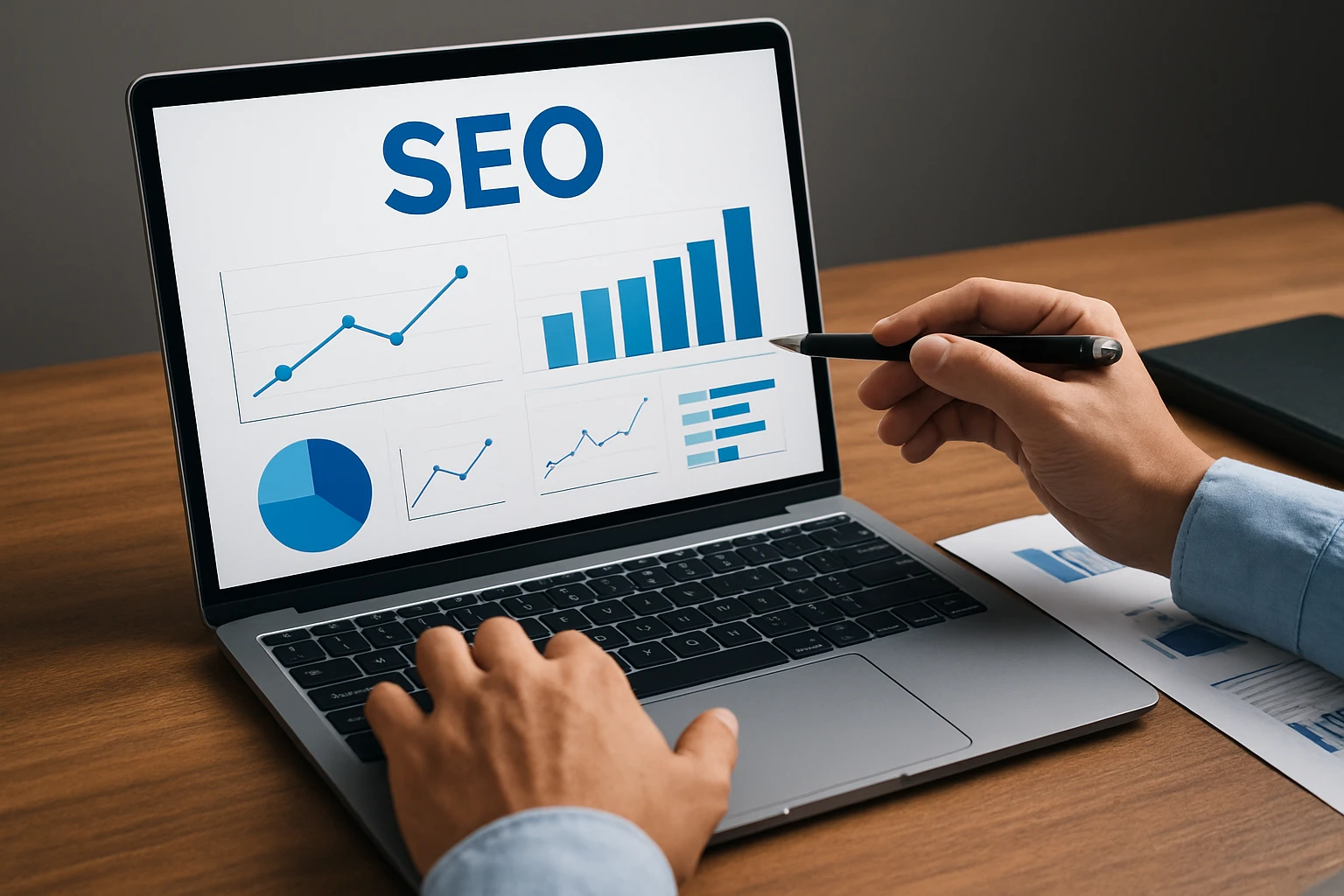
Search behavior now spills across classic results, local packs, reviews, and AI-generated answers. So this final group tackles the parts of visibility many teams feel last — right after they’ve already lost clicks. A top result explicitly focusing on answer engine optimization tools tells you this is no side topic anymore.
If customers ask questions before they click, your tool stack should help you answer them first.
Surfer SEO
Summary: Surfer SEO is commonly used for on-page content optimization. It helps teams compare a page against patterns showing up in the current SERP, then refine headings, terms, structure, and topical coverage. Best for: Content teams improving existing pages or briefing new ones with stronger SERP alignment.
Keep in mind: Treat it like guidance, not scripture. If you let any content optimization platform dictate every sentence, your page can end up sounding like it was written by a checklist. Use the signal. Keep the human judgment.
BrightLocal
Summary: BrightLocal is widely used for local SEO and reputation management, especially by businesses that depend on reviews, local listings, and map-pack visibility. Best for: Multi-location brands, service businesses, healthcare practices, restaurants, and any business where local trust directly drives calls and visits.
Keep in mind: If your business wins or loses on reviews, this isn’t “nice to have.” It’s operational. A drop in local sentiment can hit hard even when your organic rankings look stable on paper.
Rankability
Summary: Rankability describes itself as AI SEO software that helps agencies get better search rankings and AI search visibility for their clients. That makes it one of the clearer entries in the emerging AI-visibility lane. Best for: Agencies and advanced teams that need to think beyond classic rankings and into AI-assisted search surfaces.
Keep in mind: This is where 2026 gets interesting. Not every team needs an AI-specific tool yet. But if clients are already asking why they appear in Google results but not in AI-style answers, you’ll want a way to track that conversation with more than guesswork.
How to choose the right search engine optimization tools
Don’t compare tools by homepage copy alone. Compare them by bottleneck. One source uses beginner, intermediate, and advanced labels for a reason: skill level changes what “best” means. Another organizes tools by keywords, links, health, missions, reports, and AI. That’s a useful buying lens because it maps directly to workflow, not hype.
Pick one primary KPI and one secondary workflow before you compare pricing.
Solo marketer or small team
If you’re handling SEO with a tiny team, keep your stack light. Start with Google Search Console and Google Trends. Add either Moz Pro or Ahrefs depending on your comfort level, then bring in Surfer SEO or Screaming Frog if content optimization or technical cleanup becomes the bottleneck. Ask yourself a blunt question: are you short on insight, or short on time? Those are different tool problems.
Agency or multi-client workflow
Agencies usually need breadth, repeatability, and reporting sanity. Semrush often fits that world well because the suite is broad, while Ahrefs can be a favorite when research depth leads the work. BrightLocal becomes a smart add-on for local clients, and Rankability starts making sense when AI search visibility becomes a client-facing deliverable. One AI-tool comparison specifically highlights agencies as a distinct use case, and that rings true — your needs are different when you’re defending results across 10 or 50 accounts.
Enterprise or multi-location needs
Large organizations should think in layers. Search Console remains foundational, but you’ll likely want an all-in-one suite for competitive intelligence, Lumar for larger technical oversight, and BrightLocal if local listings and reviews affect revenue. For eCommerce teams and global businesses, reporting complexity rises fast — another top comparison page calls out eCommerce and global businesses as separate reporting cases, which feels exactly right. Bigger teams don’t just need more data. They need fewer blind spots.
| Team Type | Start With | Add Next | Primary KPI |
|---|---|---|---|
| Solo / Small Team | Search Console + Google Trends | Moz Pro or Ahrefs | Organic clicks or indexed pages |
| Agency | Semrush or Ahrefs | BrightLocal, Rankability, Screaming Frog | Client rankings and reporting efficiency |
| Enterprise / Multi-location | All-in-one suite + Search Console | Lumar, BrightLocal, specialized AI visibility tools | Share of visibility, technical health, local presence |
The best search engine optimization tools are the ones that remove your biggest bottleneck this quarter — not the ones with the flashiest demo.
If your site can’t get crawled cleanly, start technical. If your team can’t prioritize content, start with visibility and keyword data. If AI answers and local reviews are stealing attention, fix that gap first.
Which of these search engine optimization tools would actually make your Monday morning easier?
Grow Visibility With Internetzone I
National & Local SEO backed by web design, PPC, eCommerce, and reputation management helps companies lift visibility, trust, traffic, and conversions.