
If you are choosing a technical seo audit tool in 2026, you are already ahead of most companies that still wait for rankings to dip before acting. This roundup is for marketing leaders, founders, and in-house teams who want a clear, practical way to find crawl issues, fix indexation problems, and turn audits into revenue. I have run hundreds of audits for local shops and national enterprises, and the pattern is always the same. When you pair the right software with a consistent process, you uncover quick wins fast and set a foundation for durable gains in search engine optimization (SEO) (search engine optimization), pay-per-click (PPC) (pay-per-click), and conversion.
Here is the good news. The market has never offered more capable options for crawling, rendering JavaScript, validating structured data, and reporting across thousands or even millions of pages. At Internetzone I, Inc., we use a blended toolkit so we can adapt to your website’s architecture, content management system (CMS) (content management system), and business goals. Whether you manage ten location pages or ten thousand product listings, the right fit should feel like a mechanic’s diagnostic computer that tells you exactly what to fix first, not a mystery dashboard that makes you guess. Ready to compare the standouts we actually trust in client work and why they matter for national and local visibility on the search engine results page (SERP) (search engine results page)?
Selection Criteria for a Technical SEO Audit Tool
Not all software sees your site the way a search engine sees it, which is why choosing a technical seo audit tool demands more than a quick feature checklist. We evaluated each pick on crawl depth and speed, JavaScript rendering quality, ease of interpreting issues, and how well it ties findings to business impact. We also looked at data exports and application programming interface (API) (application programming interface) access for team workflows, because audits should not live in slides, they should drive sprints. Lastly, because many of you run hybrid stacks, we weighted how gracefully each tool handles international sites, dynamic content, and mobile experience, including Core Web Vitals for user experience (UX) (user experience).
- Crawl and render: Handles JavaScript at scale and respects robots rules, canonicals, and extensible markup language (XML) (extensible markup language) sitemaps
- Issue clarity: Groups problems by impact, explains why it matters, and suggests next steps
- Scalability: Efficient on very large sites and stable during repeated crawls
- Reporting: Sharable insights for executives and actionable lists for developers
- Local and international needs: Flags duplicate location content, name address phone consistency, hreflang, and mobile responsiveness
- Integrations: Connects to analytics, log files, and data warehouses for richer context
Before we dive into tool-by-tool notes, here is a quick comparison to help you narrow options. Think of it as your map before the road trip. Then we will unpack each pick with real-world use cases and what it is best for, so you can match your company’s situation to the right software in minutes, not weeks.
| Tool | Crawl Type | JavaScript Rendering | Core Web Vitals | White Label | Pricing Model | Best For |
|---|---|---|---|---|---|---|
| Screaming Frog SEO Spider | Desktop | Yes | Integrates via third-party | No | Free and paid license | Deep diagnostics and quick triage |
| Sitebulb | Desktop | Yes | Built-in charts | No | Paid license | Visual explanations for teams |
| Semrush Site Audit | Cloud | Yes | Dashboards | Yes | Subscription | All-in-one marketing stack |
| Ahrefs Site Audit | Cloud | Yes | Reports | No | Subscription | Backlinks plus tech health |
| Google Search Console | Cloud | Indirect | Field data | No | Free | Direct search engine signals |
| Lumar | Cloud | Yes | Enterprise reporting | Yes | Enterprise | Large, complex sites |
| JetOctopus | Cloud | Yes | Integrated | No | Subscription | Cloud crawling at speed |
| SEOptimer | Cloud | Limited | Summaries | Yes | Freemium | Simple checks and reports |
#1 Screaming Frog SEO Spider — Summary and Best For
If you have ever fixed a crawling nightmare on a deadline, you probably used Screaming Frog. It is the desktop bulldog of site crawling, giving you line-by-line control over canonicals, response codes, pagination, and more, with clear exports that make developers nod yes. It handles JavaScript, custom extraction, and all the little details like finding broken internal links hiding in faceted navigation. At Internetzone I, Inc., we reach for it when we need to prove a hypothesis fast, such as why location pages are not being discovered or why duplicate category paths exploded after a redesign in your content management system (CMS) (content management system).
Watch This Helpful Video
To help you better understand technical seo audit tool, we’ve included this informative video from Nathan Gotch. It provides valuable insights and visual demonstrations that complement the written content.
Best for: Fast diagnostics, custom extractions, and small to medium sites that benefit from surgical precision on the desktop.
- Standout features: Configurable crawls, custom extraction, JavaScript rendering, redirect chain reports
- Why we like it: Lightning fast for targeted checks and perfect for quick-win lists your developers can ship this sprint
- Considerations: Desktop based, so very large sites may require smart scoping and segmented crawls
#2 Sitebulb — Summary and Best For
Sitebulb turns complex audits into visuals that busy teams can understand in five minutes. The interface maps your architecture, flags risks in plain language, and shows issue severity, which makes stakeholder buy-in almost automatic. It also offers smart hints that feel like a friendly co-pilot explaining why something matters for search engine optimization (SEO) (search engine optimization), not just that it is broken. When Internetzone I, Inc. helps a regional service brand roll out hundreds of city pages, Sitebulb’s diagrams make it easy to validate internal linking depth and avoid orphaned content before it hurts ranking on the search engine results page (SERP) (search engine results page).
Best for: Marketing and engineering teams who want visual explanations, simple prioritization, and rich desktop reports.
- Standout features: Crawler plus visual architecture maps, JavaScript rendering, built-in hints and prioritization
- Why we like it: Makes complex technical topics digestible for non-technical leaders so approvals move quickly
- Considerations: Desktop deployment means you will plan how to handle very large sites with multiple segmented crawls
#3 Semrush Site Audit — Summary and Best For
Semrush Site Audit lives inside a broader marketing platform that covers keywords, content, and competitive insights, which can streamline your whole program. Its crawler is cloud based, so you can schedule recurring audits, monitor progress, and pipe findings into dashboards that executives actually read. The tool highlights Core Web Vitals for user experience (UX) (user experience), internationalization best practices, and structured data status, then suggests fixes with helpful context. For companies that want one login for many tasks, Internetzone I, Inc. often pairs Semrush Site Audit with content briefs and link monitoring to connect technical work to growth.
Best for: Teams seeking an all-in-one subscription where site health lives next to keyword tracking and competitive research.
- Standout features: Cloud crawling, scheduled audits, issue theming and trends, connection to broader marketing tools
- Why we like it: Easy to operationalize across sprints and report progress to leadership without reinventing slides
- Considerations: Broad platform means some advanced technical features may be less granular than specialist crawlers
#4 Ahrefs Site Audit — Summary and Best For
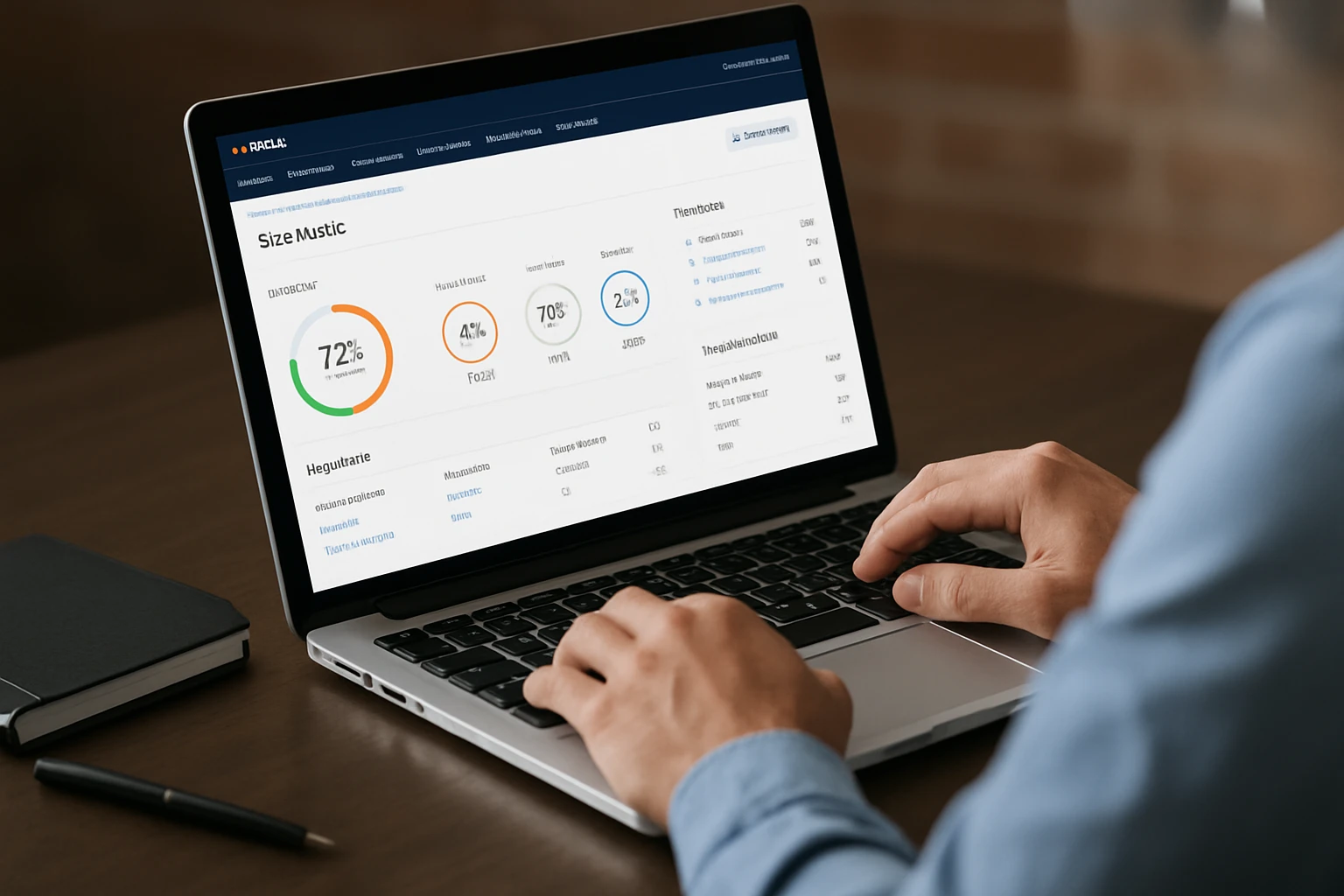
Ahrefs pairs a strong crawler with backlink intelligence, which is a great combo when you care about both technical health and authority. Its dashboards group issues by type and impact, offer clear explanations, and make it simple to compare crawls over time so you can show momentum. Because many migrations cause link equity leaks, we like using Ahrefs to check redirect chains, canonicalization, and coverage, then tie that to backlink profiles. With Internetzone I, Inc., this is especially useful after a replatforming project where you need to ensure every legacy path retains value.
Best for: Teams that want to view technical health next to backlinks and keyword performance in one place.
- Standout features: Cloud crawler, easy trend comparisons, backlink and keyword synergy, structured data checks
- Why we like it: Connects the dots between crawling health and off-site signals so you prioritize what moves rank and revenue
- Considerations: Power users may still pair it with a specialist crawler for very advanced diagnostics
#5 Google Search Console — Summary and Best For
While not a traditional crawler, Google Search Console is the heartbeat of your organic program because it reflects how Google actually sees your site. You get coverage reports, enhancement validations, and real search queries with click-through data that can confirm if your fixes are working. Use it to prioritize, not just to measure, by focusing on pages with impressions but low clicks and on enhancements that create eligibility for richer results. At Internetzone I, Inc., we always anchor audits to these signals so your roadmap aligns with how the search engine is evaluating your content today.
Best for: Ground-truth data and validation of fixes from any crawler you use.
- Standout features: Index coverage, enhancements, page experience reports, real query and click data
- Why we like it: It is the closest thing to a direct line with the search engine about what matters now
- Considerations: Does not replace a dedicated crawler, rather complements it for prioritization and impact tracking
#6 Lumar — Summary and Best For
Lumar, known for years as Deepcrawl, is built for enterprise scale and collaboration. It excels at handling enormous sites, complex international setups, and frequent releases without timing out or losing visibility. The platform’s dashboards are leadership friendly, while its segmentation and custom metrics keep engineers engaged with actionable work. When Internetzone I, Inc. supports large brands with multiple stakeholders, Lumar’s permissions, trends, and workflow integrations make it easier to run continuous audits like a true product function, not a once-a-year event.
Best for: Enterprises and fast-scaling sites that need governance, role-based access, and rock-solid crawling at scale.
- Standout features: Enterprise crawling, customizable dashboards, workflow and collaboration features, strong internationalization support
- Why we like it: Continuous monitoring across huge inventories lets you catch regressions before rankings fall
- Considerations: Enterprise capability comes with enterprise pricing and onboarding effort
#7 JetOctopus — Summary and Best For
JetOctopus is a cloud crawler known for speed and for making log file analysis straightforward. That pairing helps you compare what your server says search bots actually request with what your site map claims should be found, which is a common source of waste. The platform’s filtering, segments, and visualizations make it easy to spot crawl budget drains and thin-content traps that hold back performance. We use it at Internetzone I, Inc. when a client’s site has dynamic parameters, heavy JavaScript, or a suspicion that bots are not spending time on the right sections.
Best for: Mid-market to enterprise teams that value fast, cloud-based crawling plus practical log insights.
- Standout features: Fast cloud crawling, log file insights, segmentation, duplicate content and parameter handling
- Why we like it: Seeing logs and crawls together reveals the truth about crawl budget and indexation
- Considerations: Requires a bit of setup to stream logs, which is worth it if you rely on frequent releases
#8 SEOptimer — Summary and Best For

SEOptimer offers quick, clean audits that non-technical stakeholders understand, plus white label reporting that agencies appreciate. It checks on-page essentials, technical basics, and performance hints, making it a good starting point when you want a fast pulse check. While it is not the deepest crawler here, it is great for lead generation, client communication, and simple benchmarks across locations or microsites. Internetzone I, Inc. often uses a tool like this to socialize findings before we dive into the heavier engineering backlog, because it builds shared understanding quickly.
Best for: Quick assessments, simple reports, and communicating with non-technical decision makers.
- Standout features: Simple audits, branded reporting, fast overviews, easy explanations
- Why we like it: Useful for setting context and creating alignment before deep technical work begins
- Considerations: Complements, rather than replaces, a heavyweight crawler for complex sites
How to Choose the Right Option
Start with your website’s reality, not a wishlist. If you run a franchise with hundreds of location pages, prioritize a crawler that catches duplicate content, inconsistent name address phone details, and thin pages, then pair it with reporting leaders read. If you are in eCommerce, you need something that respects faceted navigation, handles infinite scroll rendering, and flags canonicalization issues so you do not waste crawl budget on near-duplicates. Enterprises should bias toward cloud crawlers that schedule runs, integrate with analytics and data warehouses, and support role-based collaboration, because consistency beats one heroic audit every quarter.
- Define the job: Is your main problem indexing, internal linking, speed, or internationalization
- Fit the stack: Will desktop work, or do you need cloud for scale and collaboration
- Plan outputs: Do you need exports for engineering tickets, leadership one-pagers, or both
- Pilot fast: Crawl a representative section and validate findings against Google Search Console data
- Operationalize: Set schedules, owners, and service-level expectations for fixes so audits become action
Here is a quick decision helper you can review with your team. Match your top need to a strong candidate, then test-drive on a slice of your site so you learn by doing. And if you want a second set of eyes, our team at Internetzone I, Inc. is glad to review your pilot findings and help you turn them into a 90-day plan that aligns with national and local goals.
| Your Priority | Good Fit | Why |
|---|---|---|
| Fast triage and custom data pulls | Screaming Frog or Sitebulb | Desktop precision and flexible extraction for quick-win lists |
| One login for marketing and technical work | Semrush Site Audit | Site health next to keywords and competitor insights |
| Backlink context with technical fixes | Ahrefs Site Audit | Connects crawl issues to off-site signals |
| Enterprise scale and collaboration | Lumar | Governance, role-based access, and stable crawling for big sites |
| Log-level truth and crawl budget | JetOctopus | Compare actual bot hits against crawl targets |
| Simple communication and reports | SEOptimer | Clear, branded summaries for stakeholders |
Real-World Wins: Turning Audits Into Revenue
Let us get practical. A multi-location retailer came to Internetzone I, Inc. after traffic flattened despite heavy content production and pay-per-click (PPC) (pay-per-click) spend. Using a desktop crawler for rapid discovery and a cloud crawler for ongoing monitoring, we found that 38 percent of their location pages had template duplication and missing internal links from nearby service pages. After we fixed navigational paths, consolidated thin duplicates, and improved on-page elements, their local visibility climbed and phone leads from organic nearly doubled over the next quarter, while paid spend stayed flat.
For a national eCommerce brand, seasonal category pages were being recreated each year, fragmenting link equity and confusing canonicalization. With log analysis and scheduled cloud crawls, we mapped the redirect chains, set consistent canonical rules, and simplified internal linking from editorial content. The brand saw faster indexing of new products and an uplift on high intent terms, which outperformed their last year’s seasonal campaign. The lesson is simple and repeatable. Use your technical findings to prioritize where customers actually buy or inquire, then measure impact through analytics and search engine results page (SERP) (search engine results page) improvements that leadership cares about.
Why Internetzone I Is Your Technical Partner
Software finds issues. People fix them. Internetzone I, Inc. brings both the tools and the team to turn audits into momentum across your digital program. Our blend of national and local search engine optimization (SEO) (search engine optimization), web design that is mobile responsive and search focused, eCommerce solutions, reputation management, Adwords-Certified pay-per-click (PPC) (pay-per-click) services, and managed web services means we do not just hand you a report. We architect the roadmap, implement the changes, and track the outcomes so you can attribute revenue to the work, not just stare at charts.
You will feel the difference in the first 30 days. We help you pick the right crawler for your stack, define sprint-ready tasks for engineering, and align priorities with your leadership’s goals. Then we pair ongoing audits with content and outreach, so you rise on the search engine results page (SERP) (search engine results page) while protecting brand reputation. If your company has struggled to establish a strong online presence, rank in competitive markets, maintain a positive reputation, or manage campaigns, this is where the tide turns.
Winning Technical SEO (search engine optimization) in 2026: What’s Next
Choose the right tool, follow a clear playbook, and your site gets faster, cleaner, and more discoverable. In the next 12 months, expect smarter crawling, better integrations with analytics, and more signals that reflect how people actually experience your pages on mobile. What could your pipeline look like if your fixes shipped weekly and every audit insight translated to conversions and calls, powered by the right technical seo audit tool?
Elevate Audits and Rankings with Internetzone I
Internetzone I powers National & Local SEO (search engine optimization) to help companies of all sizes boost visibility, reputation, and performance alongside your technical seo audit tool insights.