
You are busy, stakeholders are impatient, and search engines are unforgiving. That is exactly why a practical, no-nonsense seo technical audit checklist exists. When you can tick every box, you eliminate guesswork, protect your crawl budget, and unlock quick wins that compound over time. If you have ever felt overwhelmed by where to begin, you are not alone. I have been there too, staring at a messy site map at 11 p.m., wondering which fire to put out first. This guide brings order to chaos. And yes, when I say SEO (search engine optimization), we will unpack the most important steps that move rankings and revenue without drowning you in jargon.
Here is the plan. We will set your foundations, execute the high-impact fixes, validate every improvement, and spotlight common misses that quietly torpedo performance. Along the way, I will show you how Internetzone I works this process for companies of all sizes, blending National and Local SEO (search engine optimization) strategies, web design, eCommerce, reputation management, and Adwords-Certified PPC (pay per click) services into one growth engine. Sound good? Let us get your audit rolling.
Pre-Work Checklist: Set Ground Rules Before You Touch a Single Tag
Before diving into code or crawling thousands of pages, get your bearings. Strong pre-work keeps you from optimizing the wrong things and gives you proof when the wins arrive. Think of it like plotting coordinates before a road trip. You would not set out without a map, right? In the same spirit, these steps lock down access, goals, and measurement. They also ensure every recommendation ladders back to business outcomes. When Internetzone I runs a kickoff, this is where we spend our first hour, because clean data and clear targets make the rest of the audit faster and far more persuasive. Ready to set the stage?
- Define business goals and KPIs (key performance indicators). Clarify revenue targets, lead volume, conversion rates, and the pages that matter most. Prioritize commercial intent over pure traffic.
- Secure access to GSC (Google Search Console) and GA4 (Google Analytics 4). Confirm ownership, link them together, and ensure key events are tracked. No access means no trustworthy baselines.
- Run a baseline crawl. Use an enterprise crawler to snapshot status codes, canonicals, meta data, H1s, and internal links. Export the crawl for change tracking.
- Audit robots.txt and XML (extensible markup language) sitemap files. Verify that important sections are crawlable and that sitemaps reflect live, indexable URLs (uniform resource locators).
- Benchmark Core Web Vitals. Record LCP (largest contentful paint), INP (interaction to next paint), and CLS (cumulative layout shift) using field data. Separate mobile from desktop.
- Map stakeholders and owners. Assign who will fix templates, content, redirects, and server settings. Clear ownership prevents bottlenecks later.
- Inventory your technology stack. Note CMS (content management system), CDN (content delivery network), hosting, and critical plugins. Constraints here influence realistic fixes.
| Asset | Owner | Action | Why It Matters |
|---|---|---|---|
| GSC (Google Search Console) | SEO (search engine optimization) lead | Verify, link to GA4 (Google Analytics 4) | Uncovers coverage, queries, and indexation gaps |
| Baseline Crawl | Technical analyst | Export errors, canonicals, meta | Creates a benchmark to validate improvements |
| XML (extensible markup language) Sitemaps | Developer | Confirm freshness and indexable URLs (uniform resource locators) | Guides search bots to priority pages |
| Core Web Vitals | Performance engineer | Pull field data | Speed and stability correlate with rankings and revenue |
Execution Checklist: Your seo technical audit checklist in action

Watch This Helpful Video
To help you better understand seo technical audit checklist, we’ve included this informative video from WsCube Tech. It provides valuable insights and visual demonstrations that complement the written content.
Now we move from planning to progress. These are the tactical, high-ROI changes that typically deliver the biggest ranking and revenue shifts. Expect a blend of crawling, consolidating duplicates, performance tuning, and making pages machine-readable. As you work, document every change with before-and-after metrics. That is how you earn buy-in for the next sprint. Internetzone I pairs National and Local SEO (search engine optimization) priorities here, because enterprise and brick-and-mortar businesses share similar technical hurdles with added local nuances. Ready to flip switches that matter?
- Fix broken links and error codes. Resolve 404s with relevant 301 redirects, clear soft 404s, and eliminate redirect chains. Keep hop counts low to preserve link equity.
- Enforce HTTPS (HyperText Transfer Protocol Secure) across every page. Redirect all HTTP to HTTPS, deploy HSTS (HTTP Strict Transport Security), and kill mixed content that breaks trust and speed.
- Canonicalize duplicates. Set rel=”canonical” tags on near-duplicate templates, consolidate www and non-www variants, and normalize trailing slashes to one version.
- Optimize robots.txt intelligently. Block low-value admin areas but never block resources required for rendering like CSS (cascading style sheets) or JS (JavaScript). Reference the XML (extensible markup language) sitemaps explicitly.
- Repair pagination and faceted navigation. Use logical URL (uniform resource locator) parameters, canonical back to main listings when needed, and ensure crawl paths do not explode.
- Rebuild internal linking. Surface orphan pages, add contextual links to money pages, and balance link depth so critical pages are within three clicks from the homepage.
- Structure headings correctly. Use a single H1 with descriptive intent, then H2 and H3 for hierarchy. Avoid keyword stuffing while keeping relevance clear.
- Implement structured data with JSON-LD (JavaScript Object Notation for Linked Data). Mark up Organization, Product, FAQ (frequently asked questions), Article, and LocalBusiness as appropriate. Validate for Rich Results eligibility.
- Elevate performance. Compress assets, enable HTTP/2 or HTTP/3, minify CSS (cascading style sheets) and JS (JavaScript), lazy-load below-the-fold content, and cache aggressively on your CDN (content delivery network).
- Achieve Core Web Vitals targets. Aim LCP under 2.5s, INP under 200ms, and CLS under 0.1 using field data. Preload critical resources and reduce main-thread work.
- Make it mobile-first. Ensure responsive web design, tap targets sized for fingers, and identical primary content across mobile and desktop. Test with multiple devices.
- Hreflang for international sites. Use proper hreflang tags in HTML (HyperText Markup Language) or XML (extensible markup language) sitemaps to map languages and regions, preventing cross-market cannibalization.
- Harden security. Update TLS (Transport Layer Security), patch known plugin vulnerabilities, and maintain a clean redirect graph. Security signals support trust and conversions.
- Optimize media delivery. Serve modern formats, compress aggressively, and define width and height to stabilize layout and improve CLS (cumulative layout shift).
- Clean up parameterized URLs (uniform resource locators). Add parameter rules in GSC (Google Search Console) if necessary and standardize canonical references for clean indexation.
- Local signals where you have locations. Standardize NAP (name, address, phone) on site and citations, embed LocalBusiness schema, and link to your Google Business Profile for each storefront.
- Strengthen eCommerce architecture. Ensure indexable category pages, unique product descriptions, reviews markup, and clean variant handling to avoid duplication.
- Fix thin and duplicate meta data. Write distinct titles and meta descriptions, align with search intent, and include primary modifiers like brand, model, or service area.
- Clarify information architecture. Group pages into logical silos, use breadcrumb navigation with schema, and shorten excessive click paths.
- Set smart redirects for migrations. Map legacy URLs (uniform resource locators) 1:1 to new destinations, update internal links, and monitor for 404 leaks post-launch.
| Metric | Good | Why It Matters | Tooling |
|---|---|---|---|
| LCP (largest contentful paint) | < 2.5s | Per Google research, faster LCP correlates with higher conversions | PageSpeed Insights, CrUX (Chrome User Experience) reports |
| INP (interaction to next paint) | < 200ms | Measures responsiveness to user input | PageSpeed Insights, Real User Monitoring |
| CLS (cumulative layout shift) | < 0.1 | Prevents layout jank that hurts UX (user experience) | PageSpeed Insights, Lighthouse |
| TTFB (time to first byte) | < 0.8s | Server speed impacts crawl efficiency and perceived load | WebPageTest, Browser DevTools |
Pro tip from the Internetzone I trenches. A multi-location retailer came to us with thousands of thin product variants, slow mobile experiences, and messy internal links. After we consolidated duplicates, added LocalBusiness schema, and lifted LCP (largest contentful paint) by 1.1 seconds, organic traffic rose 38 percent in 90 days and calls from Google Business Profile increased 26 percent. It was not just about speed. It was the combination of better structure plus performance plus clear local signals that won.
Validation Checklist: Prove Every Fix Moved the Needle
Shipping changes is only half the job. The other half is proving impact with clean, indisputable data. This is where you earn trust with executives and get the green light for the next sprint. Expect to recrawl, remeasure, and document. The win is not only the ranking lift. It is the story you can tell with graphs and annotated timelines. At Internetzone I, we create a “delta report” showing baseline versus current for coverage, Core Web Vitals, rankings, and conversions. Ready to put points on the board?
- Re-crawl the site and compare. Confirm status code fixes, canonical signals, and internal link changes landed correctly. Export diffs to spreadsheet for clarity.
- Validate structured data. Use Google’s Rich Results Test and schema validators. Record which templates became eligible for rich results.
- Monitor logs and crawl stats. Inspect server logs or GSC (Google Search Console) Crawl Stats for crawl frequency, response codes, and fetch time improvements.
- Track rankings and visibility. Compare pre and post positions on core terms. Segment by National and Local packs to isolate local gains.
- Measure conversions in GA4 (Google Analytics 4). Attribute uplifts to pages or templates you changed. Include assisted conversions for a fuller picture.
- Set ongoing monitors. Automate uptime, redirect, and Core Web Vitals checks. Alert owners when thresholds slip so issues never linger.
| Fix | Expected Outcome | Metric | Where to Validate |
|---|---|---|---|
| 301 redirect chains removed | Faster loads, stronger equity | TTFB (time to first byte), crawl depth | WebPageTest, crawler exports |
| Structured data added | Rich results eligibility | Impressions, CTR (click through rate) | Rich Results Test, GSC (Google Search Console) |
| Internal link rebuild | Higher discoverability | Indexed pages, rank on target terms | Crawl reports, rank trackers |
| Core Web Vitals tuning | Better UX (user experience), lower bounce | LCP (largest contentful paint), INP (interaction to next paint), CLS (cumulative layout shift) | PageSpeed Insights, GA4 (Google Analytics 4) |
Common Misses: Sneaky Issues That Quietly Kill Rankings
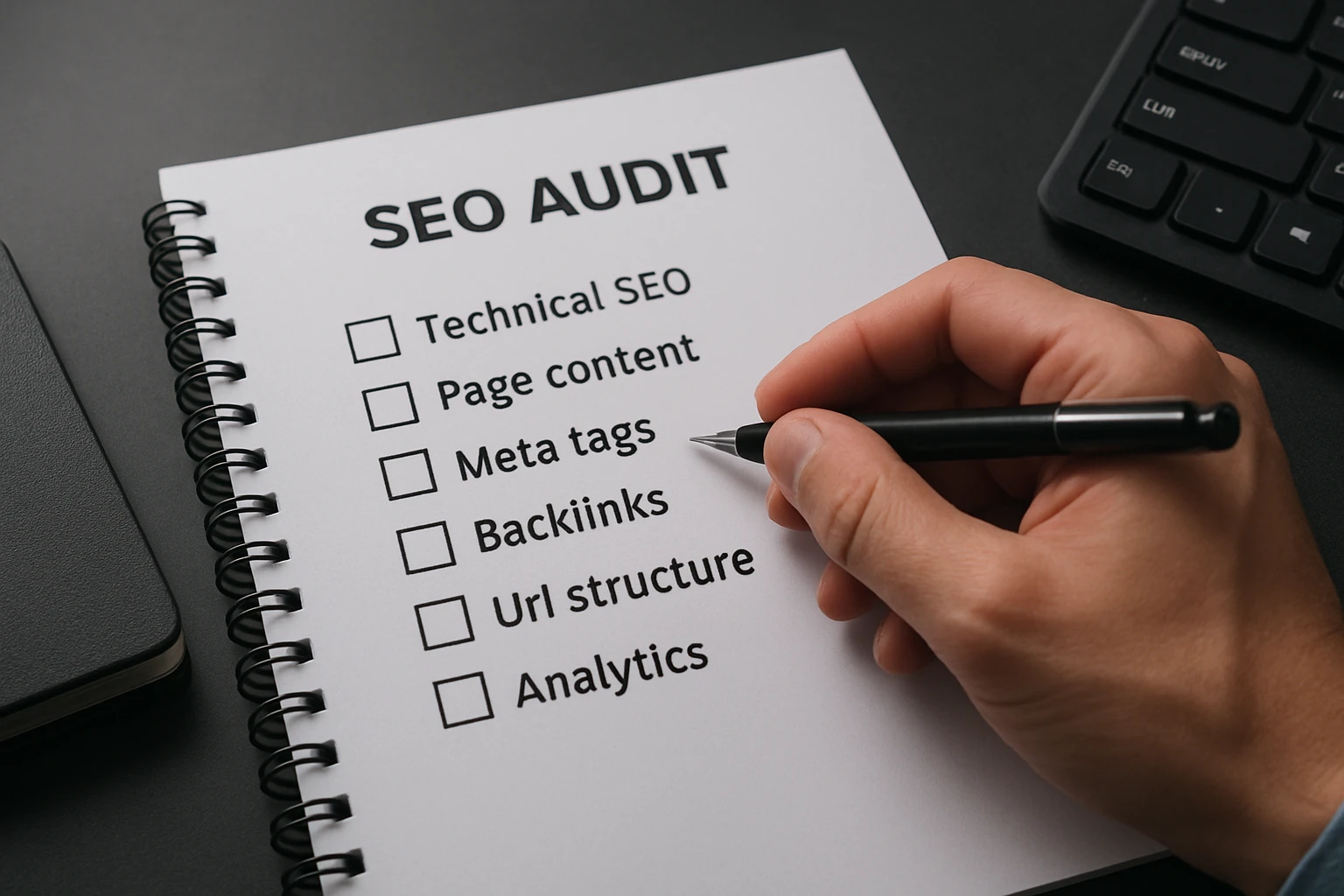
Even seasoned teams skip these. They are easy to overlook and brutal in impact. Bake them into your review rhythm so you never wonder why performance mysteriously dropped after a launch or content update.
- Leaving noindex on production. Staging flags often slip into live deploys. Scan templates regularly for robots directives.
- Blocking render-critical assets. Disallowing CSS (cascading style sheets) or JS (JavaScript) in robots.txt cripples rendering and rankings. Keep required assets open.
- Neglecting Local SEO (search engine optimization) details. Inconsistent NAP (name, address, phone), missing LocalBusiness schema, and sparse location pages crush local pack eligibility.
- Ignoring accessibility. Missing alt text, poor contrast, and absent ARIA (Accessible Rich Internet Applications) roles limit users and can hurt engagement signals.
| Focus | National SEO (search engine optimization) | Local SEO (search engine optimization) |
|---|---|---|
| Signals | Content depth, authority links, site speed | NAP (name, address, phone) consistency, reviews, proximity |
| Structured Data | Organization, Product, Article | LocalBusiness, FAQ (frequently asked questions), Hours |
| Pages | Category, solution, resource hubs | Location landing pages, service area pages |
| Key Tools | GSC (Google Search Console), GA4 (Google Analytics 4), crawler | Google Business Profile, citation tools |
Quick data points to keep perspective. Studies show that a one-second improvement in mobile load can lift conversions meaningfully, and Google reports that roughly 28 percent of local searches lead to a purchase within a day. In other words, speed and local completeness are not “nice to haves.” They are revenue levers.
After the Audit: What Winning Teams Do Next
Here is the punchline. Ship fixes fast, validate relentlessly, and turn your audit into a rolling program that compounds results. In the next 12 months, imagine transforming your technical foundation into a growth engine that supports content, digital public relations, and paid media with zero friction. What would change if every deploy was measurable, your pages were lightning fast, and your local presence matched your national ambition?
Internetzone I can run this process as a one-time sprint or through Managed Web Services that watch your site like a hawk, from Core Web Vitals to schema to redirects. Our team blends Web Design that is mobile responsive and SEO-focused, eCommerce development, Reputation Management, and Adwords-Certified PPC (pay per click) Services into a unified roadmap. Ready to put this seo technical audit checklist to work and turn technical debt into ranking momentum?
Advance Your Audit with Internetzone I
Elevate visibility and conversions using National & Local SEO from Internetzone I for companies of all sizes seeking stronger traffic, reputation, and measurable growth.