
You know that moment when a site looks perfect on your laptop but turns into a pinching, zooming puzzle on your phone, and you bounce in three seconds flat? That is the problem responsive design solves, and if you have ever wondered “responsive web design what is,” you are in the right place. In simple terms, responsive sites fluidly adapt layouts, images, and interactions to every screen so visitors enjoy a fast, accessible experience and you earn more conversions. Because search engines now prioritize mobile usability and speed, responsive design is not just a design preference, it is a Search Engine Optimization (SEO) essential that shapes your rankings, your revenue, and your brand reputation.
Here is the outcome you are chasing: one site, one codebase, and one content strategy that performs beautifully across phones, tablets, laptops, desktops, and even televisions, while sending all the right signals to search engines. In this practical guide, I will demystify the moving parts, show you what tools to use, and help you avoid painful missteps that waste budget. Along the way, I will point out how Internetzone I, Inc. blends Web Design (mobile responsive, SEO-focused), National and Local Search Engine Optimization (SEO), electronic commerce (eCommerce) solutions, Reputation Management, Adwords-Certified Pay-Per-Click (PPC) Services, and Managed Web Services to turn responsive design into measurable business growth.
Prerequisites and Tools You Will Want Handy
Before you start tweaking Cascading Style Sheets (CSS) or picking breakpoints, ground your team in a few must-haves so momentum does not stall mid-project. First, define clear business goals, like “increase mobile conversions by 20 percent” or “reduce bounce rate by 15 percent,” because design decisions should ladder back to measurable outcomes. Next, inventory your current stack, including your Content Management System (CMS), analytics, tag manager, and hosting, and confirm they support modern performance practices such as compression, caching, and HyperText Transfer Protocol Secure (HTTPS). Finally, decide how you will test across devices using built-in browser tools, emulators, and real hardware, because nothing beats tapping through your own forms on a bus ride to feel what users feel.
- Goals and success metrics: conversions, time on page, Core Web Vitals, revenue per session.
- Team roles: strategist, designer, developer, copywriter, analyst, and a decision-maker with authority.
- Tooling:
- Browser DevTools in Chrome and Firefox for responsive previews and network throttling.
- Google Lighthouse and PageSpeed Insights for audits of performance, accessibility, and SEO.
- Device labs or services like BrowserStack for cross-browser and cross-device testing.
- Version control with Git for safe, trackable changes.
| Tool | Main Use | Key Insight It Provides |
|---|---|---|
| Chrome DevTools | Layout, network, and performance debugging | Where layout breaks and what slows pages under real throttling |
| Google Lighthouse | Automated audits | Scores for Performance, Accessibility, Best Practices, and Search Engine Optimization (SEO) |
| PageSpeed Insights | Field and lab data | Core Web Vitals from real users plus optimization suggestions |
| BrowserStack | Remote device coverage | Confidence that features work on legacy and modern browsers |
Step 1: Responsive Web Design What Is — The Core Idea
Responsive design is an approach that uses fluid grids, flexible media, and media queries to adapt layouts so content looks and works great on any screen. Think of water poured into different glasses; the liquid is the same, but the shape changes to fit the container, and in our case the container is the viewport. Practically, you design mobile-first, then progressively enhance for larger screens using HyperText Markup Language (HTML) that is semantic, Cascading Style Sheets (CSS) that scales components, and JavaScript (JS) that is optional rather than required. This matters for Search Engine Optimization (SEO) because search engines reward fast loading, accessible pages, and since nearly 60 percent of traffic is now mobile according to industry analyses, the mobile experience you deliver will likely define your rankings and your revenue.
Watch This Helpful Video
To help you better understand responsive web design what is, we’ve included this informative video from Education 4u. It provides valuable insights and visual demonstrations that complement the written content.
| Approach | How It Works | Pros | Cons | Best Fit |
|---|---|---|---|---|
| Responsive | Single site adapts via fluid grids and media queries | One codebase, consistent Search Engine Optimization (SEO), lower maintenance | Requires careful planning and performance tuning | Most modern sites |
| Adaptive | Discrete templates for preset widths | Fine control per layout | More templates, more upkeep | Legacy systems, complex apps |
| Separate m-dot | Dedicated mobile site on m.example.com | Fast to launch small scope | Split authority, redirects, content drift | Temporary stopgap only |
If you are asking, “But what if my content is extremely complex, like a product configurator or a booking engine,” the answer is that responsive still works, it just demands strong prioritization and progressive enhancement. Start with the core path that mobile users need most, ensure it is usable with touch and limited bandwidth, and layer richer features as screens and connections allow. Internetzone I frequently tackles these scenarios, pairing Web Design (mobile responsive, SEO-focused) with structured content modeling so the same body of content flexes intelligently across breakpoints without fragmenting your brand story.
Step 2: Map Content and Breakpoints to Real Users
Instead of choosing breakpoints from a chart, anchor them to your actual audience using analytics and device data, because designing for your real users beats guessing every time. Audit your top tasks, like “find a location,” “compare plans,” or “checkout,” and write them as short user stories, so every screen size preserves the journey with minimal friction. Then identify breakpoints where the layout naturally needs a new arrangement, often around 360 to 420 pixels, 768 pixels, 1024 pixels, and 1280 pixels, while staying flexible with percentages and min to max widths. The goal is clarity, not cramming, which is why content priority and spacing should change as space expands, surfacing secondary navigation, filters, or rich visuals when the viewport allows.
| Breakpoint (approx.) | Primary Goals | Layout Focus |
|---|---|---|
| ≤ 420 px | Task completion, reading, simple forms | Single column, large tap targets, above-the-fold call to action (CTA) |
| 421–768 px | Browsing, search, comparisons | Two-column options, sticky key actions, condensed navigation |
| 769–1024 px | Deeper research, multi-step tasks | Two to three columns, visible filters, supportive imagery |
| ≥ 1280 px | Full exploration, productivity | Three columns, expanded navigation, rich media |
Here is a practical example: a regional retailer working with Internetzone I set a goal to lift mobile revenue by 25 percent, and after mapping real user flows we collapsed a four-step checkout into two optimized screens. We increased font sizes for legibility, made shipping options single-tap choices, and moved the coupon field below the call to action (CTA) to prevent price anchoring, and the net effect was a 38 percent jump in mobile conversions in the first quarter. That is the power of tying breakpoints to real goals rather than theoretical devices, and it is how you transform design choices into measurable impact.
Step 3: Build the Flexible System — Grids, Media, and Navigation

Once the plan is clear, build a fluid grid that respects content, not a fixed twelve-column straitjacket, and let components grow or shrink with percentage-based widths and modern functions like clamp for font sizing. Use relative units such as rem for typography and spacing so everything scales consistently, and cap line lengths to about 45 to 75 characters for better readability on all screens. Make images flexible with max-width set to 100 percent, serve modern formats like WebP where supported, and deliver responsive sources via srcset so the browser picks the right image without waste. For navigation, prefer a simple top bar that collapses gracefully into a clear menu with touch-friendly targets and a persistent call to action (CTA), because if users have to hunt for actions, they will not convert.
Performance belongs in the foundation, not after launch, so budget for it like any other feature because speed magnifies everything good about your design. Defer noncritical JavaScript (JS), inline only essential Cascading Style Sheets (CSS) for the initial viewport, compress assets with Brotli, and cache aggressively with sensible expiry headers while using a Content Delivery Network (CDN) to serve assets closer to users. If your site runs on a Content Management System (CMS), select a lightweight theme and audit plugins, since each addition may add render-blocking scripts or Document Object Model (DOM) bloat. Internetzone I’s Managed Web Services help teams keep performance healthy over time, updating dependencies, patching vulnerabilities, and monitoring uptime so your site keeps humming while you focus on growth.
Step 4: Nail Speed and Core Web Vitals for Search Engine Optimization (SEO)
Search engines evaluate experience with Core Web Vitals, so treat these metrics as product requirements rather than nice-to-haves because they correlate strongly with conversions. Largest Contentful Paint (LCP) measures how quickly the biggest element loads, Cumulative Layout Shift (CLS) tracks layout stability, and Interaction to Next Paint (INP) gauges input responsiveness, replacing First Input Delay (FID) as a better measure of interactivity. Aim for green thresholds and test under realistic conditions such as 4G and 3G throttling, because many users still browse on patchy connections and a site that is “fast on my machine” may be sluggish in the field. As a rule, optimize above-the-fold content, lazy-load below-the-fold media, preconnect critical origins, and minimize third-party scripts, since each tag can cost precious milliseconds.
| Metric | Target | Common Fixes |
|---|---|---|
| Largest Contentful Paint (LCP) | ≤ 2.5 s | Compress hero images, server-side rendering, optimize critical Cascading Style Sheets (CSS) |
| Cumulative Layout Shift (CLS) | ≤ 0.1 | Reserve image/video space, avoid late-loading ads, set font-display: swap |
| Interaction to Next Paint (INP) | ≤ 200 ms | Minimize main-thread work, split bundles, reduce event listeners |
Why does this matter beyond scores? Studies suggest that pages meeting Core Web Vitals can lift conversion rates by double digits, reduce bounce, and increase session depth, which compounds into more revenue. Internetzone I integrates performance tuning with National and Local Search Engine Optimization (SEO), technical audits, and content strategy so you do not have to trade speed for storytelling, because the best-performing sites deliver both. If your paid media relies on Adwords-Certified Pay-Per-Click (PPC) Services, shaving half a second off load times can also improve Quality Score, which stretches budget and lowers cost per acquisition, letting you reinvest in growth.
Step 5: Design for Accessibility and Conversions, Not Just Looks
Great design is inclusive design, and accessibility is not optional for modern brands because it is both the right thing to do and it often boosts conversions for everyone. Use proper heading hierarchy in HyperText Markup Language (HTML), supply descriptive link text, and ensure contrast for text and controls, while labeling forms clearly and associating labels with inputs for assistive technologies. Provide focus states and ensure all interactive elements are reachable via keyboard, and use Accessible Rich Internet Applications (ARIA) roles sparingly and correctly to avoid confusing screen readers. For touch, aim for 44 by 44 pixel targets, keep critical actions above the fold on mobile, and write direct, benefit-driven call to action (CTA) copy that is easy to spot and understand even when users are in a hurry.
Conversion gains often come from friction reduction, not flashy redesigns, so study your analytics and session recordings to see where people hesitate or abandon. Shorten forms, default to smart choices, and reduce cognitive load by removing nonessential fields or deferring them until after the primary task is completed. Use split testing (A/B) to evaluate variations ethically and methodically, measuring Key Performance Indicators (KPI) like click-through rate, completion rate, and revenue per visitor, and remember that what wins on desktop may lose on mobile. Internetzone I blends User Experience (UX) research with Search Engine Optimization (SEO) and Reputation Management to align brand trust, usability, and findability, which tends to lift conversion rates across channels without spiky, short-lived hacks.
Step 6: Test Across Devices, Browsers, and Real-Life Contexts
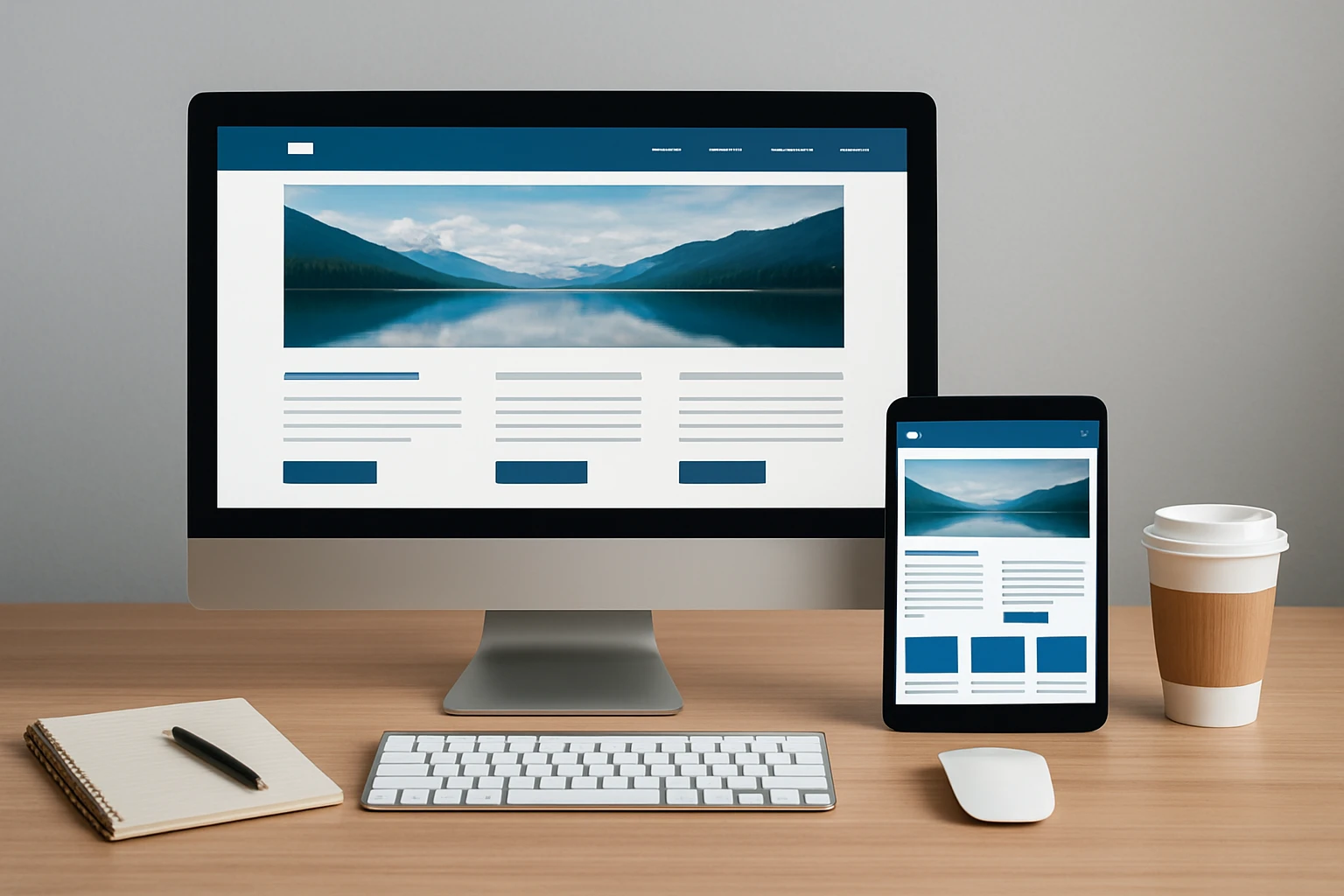
Would you ship a product without trying it in the real world, in bright sunlight, on shaky Wi-Fi, or with one hand while juggling a coffee? That is how you should test responsive sites, because context reveals issues that lab conditions miss, like tiny tap areas, hidden errors, or scroll-jank. Use emulators to cover breadth, but validate your highest-traffic device families on real hardware where you can feel input lag and see visual issues like flicker when a soft keyboard opens. Keep a simple test matrix that prioritizes your top platforms so your team knows what matters most for each release and does not spread itself too thin.
| Device Class | Example Width | Orientation | What to Verify |
|---|---|---|---|
| Small phone | 360–420 px | Portrait | Navigation clarity, tap targets, checkout flow, call to action (CTA) visibility |
| Large phone | 421–480 px | Portrait | Form inputs, viewport zoom behavior, fixed elements |
| Tablet | 768–1024 px | Portrait/Landscape | Column layout, filter usability, typography scaling |
| Laptop | 1280–1440 px | Landscape | Header depth, mega-menus, hover states and keyboard access |
Beyond visuals, test performance regressions using network throttling and CPU slowdown in DevTools, and watch for cumulative effects as marketing scripts multiply. Validate structured data with Google’s Rich Results Test so your Search Engine Results Page (SERP) appearance remains strong, and check your redirects and canonical tags so crawlers see one clean, authoritative Uniform Resource Locator (URL) per page. Internetzone I’s Managed Web Services can run this quality assurance routine on a schedule, creating a feedback loop where issues are caught early, fixes ship quickly, and the experience stays reliably excellent.
Step 7: Connect Responsive Design to Search Engine Optimization (SEO), Content, and Ads
Responsive design, content strategy, and acquisition channels should dance together because alignment multiplies results while misalignment causes avoidable waste. Build pages around specific search intents, map them to relevant keywords, and structure content with semantic HyperText Markup Language (HTML), internal links, and descriptive headings so both people and crawlers understand the narrative. Use schema markup for products, how-tos, and frequently asked questions to earn rich results, and integrate multimedia like Scalable Vector Graphics (SVG) icons and compressed images to boost clarity without hurting speed. For paid media, pair landing pages with Adwords-Certified Pay-Per-Click (PPC) Services that mirror ad messages and user intent, because message match can raise Quality Score and lift conversion rate without raising bids.
Here is how Internetzone I puts it all together for growth-minded teams. Our Web Design (mobile responsive, SEO-focused) ensures your site is elegant and fast on every device, National and Local Search Engine Optimization (SEO) builds authority and visibility, electronic commerce (eCommerce) development refines your product discovery and checkout, Reputation Management keeps brand signals positive, and Adwords-Certified Pay-Per-Click (PPC) Services drive targeted demand you can convert efficiently. By unifying these functions with analytics and custom dashboards, we help you set goals, measure honestly, and iterate fast, so you learn what works and scale it with confidence. If that sounds like the operating system you want for your digital presence, you are in good company with brands that choose a holistic, performance-first approach.
Common Responsive Web Design Mistakes to Avoid
Even smart teams fall into predictable traps that sabotage responsiveness, and the fix usually starts with discipline and clarity rather than more tools. One frequent mistake is designing desktop-first layouts then trying to squeeze them onto phones, which leads to hiding content and awkward stacking, while mobile-first forces decisions that respect small screens from the start. Another is shipping heavy third-party scripts that tank performance; set a policy that every script must justify its weight with measurable value, and audit quarterly to retire what no longer pays for itself. Finally, do not confuse animation with delight, since poorly timed motion can distract, drain battery, and make interactions feel sluggish; use motion purposefully to confirm actions, guide attention, or reduce perceived latency.
- Ignoring content hierarchy: decide what is essential above the fold for each breakpoint.
- Forgetting tap comfort: ensure 44 by 44 pixel targets and adequate spacing to prevent mis-taps.
- Using images for text: hurts accessibility and Search Engine Optimization (SEO); prefer live text and Scalable Vector Graphics (SVG) icons.
- Skipping performance budgets: agree on size targets for pages, JavaScript (JS), and Cascading Style Sheets (CSS).
- Not testing with real users: quick interviews or usability tests catch surprises before they become churn.
Responsive Web Design: Key Takeaways and Next Steps
You now have a clear path to define, build, and ship a responsive site that feels fast, inclusive, and persuasive on every screen. Imagine the next 12 months with higher mobile conversions, faster pages, richer Search Engine Results Page (SERP) real estate, and fewer maintenance headaches because one flexible system powers every device. What would your marketing, sales, and support teams achieve if your site became the most reliable, trusted salesperson on your roster?
Choose the next best step you can take today, whether that is a Core Web Vitals audit, a content-priority workshop, or a mobile checkout tune-up, and let momentum do the rest. And if you are still wondering about responsive web design what is in the context of your unique stack and goals, that is a conversation worth having right now.
Advance Your Responsive Web Design What Is with Internetzone I
For companies of all sizes, Internetzone I delivers mobile-responsive, SEO-focused web design that lifts visibility, strengthens reputation, and accelerates digital performance.