
UI UX Designing for Growth: 7 Proven Changes That Boost SEO, Trust & Conversions
You do not need a total redesign to spark growth; a few smart ui ux designing upgrades can raise rankings, build credibility, and nudge more visitors to buy or inquire. I have seen a single navigation fix lift organic leads by double digits, and a faster checkout raise revenue overnight, because small barriers quietly drain performance. When your UI (User Interface) and UX (User Experience) work in harmony with SEO (Search Engine Optimization), your site becomes a magnet that search engines can understand and people love to use. Ready to see which seven changes consistently move the needle and how Internetzone I turns them into predictable wins for businesses like yours?
Why UI (User Interface) and UX (User Experience) Drive Rankings, Revenue, and Reviews
Search algorithms reward pages that load fast, answer intent, and keep visitors engaged, which is exactly what strong UI (User Interface) and UX (User Experience) deliver when paired with SEO (Search Engine Optimization) fundamentals. Industry studies suggest that 75 percent of users judge credibility based on design, 53 percent of mobile visitors abandon after three seconds, and every extra second of delay can slash conversions by around 7 percent, which underlines the cost of friction. Thoughtful layout, readable typography, and clear calls make dwell time rise and pogo-sticking drop, sending positive behavioral signals to search engines. In short, better usability improves findability, and better findability multiplies usability, which forms a growth loop you can actually manage.
This is where Internetzone I excels by uniting National & Local SEO (Search Engine Optimization), mobile responsive web design, and conversion strategy into one roadmap. Instead of guessing at what to fix first, we prioritize bottlenecks with analytics, heatmaps, and user feedback, then measure uplift against specific KPI (Key Performance Indicator) targets. That might mean restructuring your header and footer to clarify pathways, rewriting microcopy to remove doubt, or compressing media to improve Largest Contentful Paint (LCP) (Largest Contentful Paint). Meanwhile, our Adwords-Certified PPC (Pay-Per-Click) Services keep paid campaigns efficient, amplifying insights you can fold back into UX (User Experience) testing for compounding gains.
7 ui ux designing Changes That Move the Needle
Here is the truth many teams learn the hard way: users do not follow your org chart, and neither do search engines, so structure and clarity beat decoration every time. The seven patterns below are the fastest, most reliable ui ux designing levers we implement at Internetzone I to improve SEO (Search Engine Optimization), trust, and conversions without burning months on a redesign. We start with the high-impact cluster around speed, navigation, and clarity, then add proof elements and friction removal where money is leaking. Importantly, each change can be shipped in parallel sprints, validated with A/B Testing (Split Testing), and rolled into a 90-day plan with measurable milestones so your team stays focused and motivated.
Watch This Helpful Video
To help you better understand ui ux designing, we’ve included this informative video from Simplilearn. It provides valuable insights and visual demonstrations that complement the written content.
| Change | Why It Lifts SEO (Search Engine Optimization) | Trust Impact | Conversion Boost | Effort |
|---|---|---|---|---|
| 1) Simplify navigation and IA (Information Architecture) | Clear pathways reduce bounce and help crawlers map relevance; better internal linking spreads authority. | Visitors feel oriented and in control. | Faster task completion leads to more form fills and checkouts. | Medium |
| 2) Clarify above-the-fold value | Stronger relevance match raises engagement and improves behavioral signals. | Direct promises reduce skepticism. | Higher clicks on primary CTA (Call to Action) within seconds. | Low |
| 3) Mobile-first, thumb-friendly layout | Responsive patterns satisfy mobile-first indexing and improve Core Web Vitals. | Professional polish increases credibility. | More taps on CTAs (Call to Actions) and fewer form abandons. | Medium |
| 4) Speed up pages and media | Better LCP (Largest Contentful Paint), CLS (Cumulative Layout Shift), INP (Interaction to Next Paint) improve ranking potential. | Stability signals quality and care. | Shorter wait equals less drop-off at critical steps. | Medium |
| 5) Make content scannable with headings and schema | Structured data helps rich results; headings clarify topic hierarchy for crawlers. | Readable pages reduce cognitive load. | More clicks from SERP (Search Engine Results Page) and on-page links. | Low |
| 6) Add trust signals and social proof | Review schema can boost visibility; brand mentions support authority. | Badges, reviews, and policies reduce risk. | Higher average order value and lead quality. | Low |
| 7) Remove friction in forms and checkout | Fewer reloads and errors lower exit rates that harm engagement metrics. | Clear privacy and security notes build confidence. | More completions and fewer support tickets. | Medium |
If you want a simple prioritization method, rank each item by potential revenue impact multiplied by ease, then ship in two-week releases with a clear metric owner. For instance, Internetzone I often starts by improving top template speed, rewriting the homepage hero for clarity, and fixing primary navigation labels because those changes touch every funnel. Next, we layer proof near CTAs (Call to Actions), such as star ratings and client logos, and streamline forms with progress indicators, inline validation, and field reduction. Finally, we test microcopy and offers through A/B Testing (Split Testing) to lock in persistent wins that keep working long after the sprint ends.
Speed, Structure, and Core Web Vitals: The Hidden Growth Engine
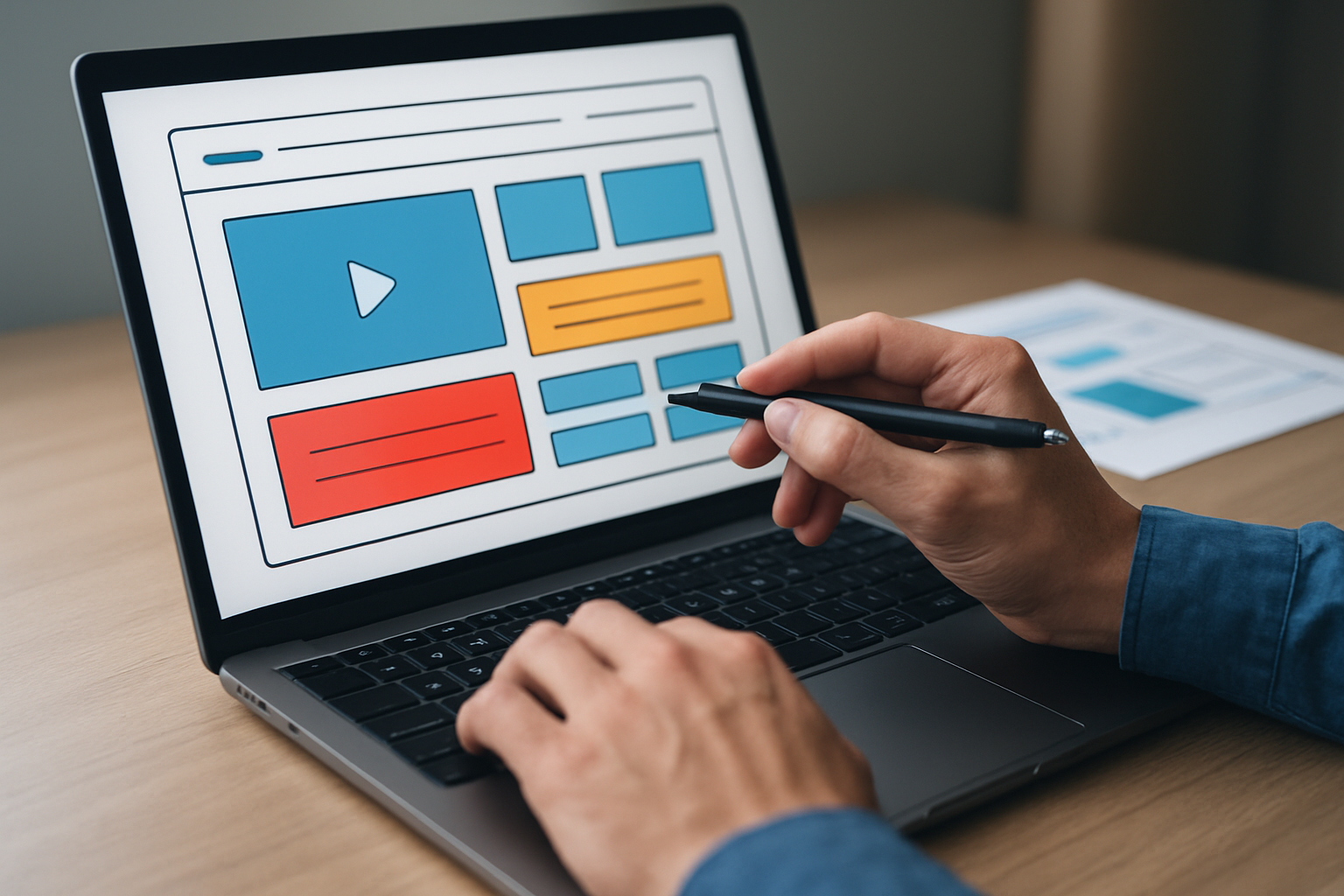
Speed is a user experience issue first and a ranking factor second, which is exactly why it belongs at the top of any ui ux designing backlog. Core Web Vitals track how fast people see meaningful content and how stable your layout feels, so we target LCP (Largest Contentful Paint) under 2.5 seconds, CLS (Cumulative Layout Shift) near 0.1, and INP (Interaction to Next Paint) below 200 ms to keep interactions crisp. Tactically, that means serving modern image formats, deferring non-critical JavaScript (JavaScript) and CSS (Cascading Style Sheets), trimming third-party scripts, and caching aggressively with a CDN (Content Delivery Network). When the first click feels snappy and nothing jumps around, users read more, click more, and convert more, which is exactly what search engines want to reward.
Here is a quick cheat sheet we use at Internetzone I to align engineering and marketing goals without finger-pointing. The point is not just tuning numbers; it is making the experience consistently pleasant on any device and network, which pays off in organic visibility and paid efficiency. Once the technical work lands, we revisit above-the-fold messaging, reorder content blocks based on engagement, and rewrite headings so they reflect search intent while remaining human-friendly. In parallel, we monitor impact in analytics to show how better Core Web Vitals reduce bounce rate, lift average session depth, and improve conversion rate, tying the speed investment to business outcomes leaders care about.
| Issue | Target | High-Impact Fix |
|---|---|---|
| Slow LCP (Largest Contentful Paint) | < 2.5s | Compress hero image, use lazy loading, preconnect to critical domains. |
| High CLS (Cumulative Layout Shift) | ≈ 0.1 | Reserve media space, avoid layout-shifting ads, load fonts predictably. |
| Poor INP (Interaction to Next Paint) | < 200 ms | Defer heavy scripts, reduce main-thread work, split code. |
| Uncached assets | 95 percent hit rate | Implement CDN (Content Delivery Network), long cache headers, versioning. |
- Quick wins: turn on compression, convert images to modern formats, and remove unused JavaScript (JavaScript).
- Medium lifts: refactor bloated plugins, inline critical CSS (Cascading Style Sheets), and serve fonts correctly.
- Strategic moves: redesign heavy sections, prune third-party tags, and simplify the overall template hierarchy.
Designing for Trust: Reviews, Microcopy, and Visual Credibility
People buy when belief outweighs doubt, which is why trust signals deserve a formal spot in your ui ux designing plan alongside SEO (Search Engine Optimization) chores. Data suggests that 90 percent of shoppers read reviews, pages with clear policies convert better, and simple assurance microcopy near CTAs (Call to Actions) can lift clicks by double digits. Practically, this means pairing strong social proof with your top pages, showing recognizable security badges, using HTTPS (HyperText Transfer Protocol Secure), and keeping design crisp and consistent so the experience feels safe. When trust is visible, shoppers explore more categories, prospects volunteer more information, and your brand earns more five-star reviews that reinforce the cycle.
Microcopy is the easiest trust accelerator to test, so here are a few examples you can adopt today. Next to a primary CTA (Call to Action), add gentle risk reducers like “No spam. Cancel anytime.” or “Free quote in 2 minutes.” In forms, show progress like “Step 1 of 3” and clarify why you ask for each field, which reduces abandonment and improves data quality. If you sell online, place delivery dates, returns policy, and final price near the add-to-cart, and surface help options that respond fast, which lowers support load and raises satisfaction.
| Trust Signal | Where to Place It | Expected Effect |
|---|---|---|
| Verified reviews and ratings | Product pages, service pages, near hero on homepage | Higher click-through and confidence to proceed |
| Security and payment badges | Checkout, footer, and payment step | Lower cart abandonment; fewer payment concerns |
| Clear policies and guarantees | Footer, FAQ (Frequently Asked Questions), cart pages | Reduced perceived risk; more completes |
| Author bios and credentials | Blog and resource pages | Improved expertise signals and engagement |
Local Meets National: Design Signals That Lift Both SEO (Search Engine Optimization) Campaigns

Whether you serve a neighborhood or the nation, design choices can simultaneously strengthen National and Local SEO (Search Engine Optimization) when you make location and intent obvious. For local visibility, we consistently implement NAP (Name, Address, Phone) in the header or footer, embed a map on location pages, and add local schema markup to reinforce relevance. For national reach, we organize pillar pages and subpages into a clear topic cluster, keep internal links descriptive, and build content that matches the research and comparison stages. When your design makes it easy to navigate by location and by need, search engines reward the clarity and customers reward the convenience.
Internetzone I often blends both by designing scalable location templates and a clean top navigation that supports service discovery across regions. We ensure your Google Business Profile is consistent with on-site details, then mirror those details in calls, forms, and footers so people always know how to reach you. At the same time, we support enterprise growth with eCommerce Solutions, Managed Web Services, and content frameworks that keep speed and structure tight at scale. The result is a site that ranks broadly, converts locally, and can add new markets without spinning up a new playbook each time.
| Goal | Design Emphasis | On-Page Signals | Outcome |
|---|---|---|---|
| Local discovery | Prominent NAP (Name, Address, Phone) and map | Local business schema, hours, service area | More calls and direction requests |
| National expansion | Topic clusters and scalable templates | Internal linking, comprehensive guides | Higher rankings for broad queries |
| Reputation growth | Review widgets and case studies | Schema for ratings, testimonials | Raised authority and trust signals |
Your 90-Day UI UX Designing Roadmap
Week 0 to 4: get fast and clear. Audit your top templates for speed, fix LCP (Largest Contentful Paint), CLS (Cumulative Layout Shift), and INP (Interaction to Next Paint) issues, and compress media with modern formats. Rewrite the homepage hero to promise an outcome in one line, simplify primary navigation labels, and place a single primary CTA (Call to Action) above the fold. Add essential trust signals like star ratings, recognizable logos, and clear policies to high-traffic pages, then validate gains against KPI (Key Performance Indicator) targets like form completion rate and revenue per session. If needed, Internetzone I can shoulder the heavy lifting with Managed Web Services so your team keeps momentum while staying focused on operations.
Week 5 to 8: reduce friction and prove value. Shorten forms to the minimum, add progress indicators, use inline validation, and surface live help options where abandonment is high. Structure content with logical H2 and H3 headings, add FAQ (Frequently Asked Questions) schema where it helps, and align on-page copy with search intent to improve relevance and engagement. Build or improve location pages with accurate NAP (Name, Address, Phone), embedded maps, and unique local content so Local SEO (Search Engine Optimization) rises alongside national visibility. Week 9 to 12: test and scale. Run A/B Testing (Split Testing) on CTAs (Call to Actions), page layouts, and offers; document winners; and roll them out sitewide. Finally, tie organic performance to business metrics so the organization sees exactly how ui ux designing is paying off.
Real-World Momentum: How Internetzone I Turns Design into Measurable Growth
A multi-location healthcare client came to Internetzone I struggling with low visibility and form abandonment despite heavy ad spend. We rebuilt their location pages with clear NAP (Name, Address, Phone), mobile-first blocks, and speed fixes, then reframed the hero message to focus on outcomes instead of features, which reduced bounce and improved time on page. With Local and National SEO (Search Engine Optimization) content structured into clusters and appointment forms simplified from nine fields to five, organic leads rose 42 percent and cost per lead from PPC (Pay-Per-Click) fell, because better UX (User Experience) improved quality scores and conversion rate. The kicker was reputation management: we automated review requests and showcased ratings on top pages, which amplified trust signals that search engines and people both value.
An eCommerce brand selling nationwide faced slow product pages and vague above-the-fold content, so shoppers were bouncing before scroll. After compressing media, stabilizing layout shifts, and placing delivery dates and returns near the primary CTA (Call to Action), we added comparison tables and authentic reviews for decision support. Organic traffic climbed as Core Web Vitals improved, and conversion rate rose 28 percent while average order value lifted with the help of carefully placed bundles and social proof. Because Internetzone I integrates web design, eCommerce Solutions, Reputation Management, Adwords-Certified PPC (Pay-Per-Click) Services, and National & Local SEO (Search Engine Optimization), the brand enjoyed compounding gains rather than isolated wins.
The promise is simple: focus your ui ux designing on clarity, speed, and proof, and search engines plus customers will reward you. Imagine the next 12 months where every sprint removes friction, every release ships faster, and your reputation compounds across local and national markets. What would it change for your team if every visit felt effortless, every message clicked, and ui ux designing finally became your competitive edge?
Additional Resources
Explore these authoritative resources to dive deeper into ui ux designing.
Boost Ui Ux Designing Outcomes with Internetzone I
Internetzone I aligns ui ux designing with National & Local SEO (Search Engine Optimization) to increase visibility, strengthen reputation, and drive conversions for companies of every size.