
If you are serious about growth, a disciplined seo technical audit is your compass, your dashboard, and your early-warning system rolled into one, because it exposes crawling bottlenecks, indexing gaps, and performance slowdowns before they quietly drain revenue. Whether you manage a national brand with thousands of product pages or a local service provider expanding into new ZIP codes, the right audit stack helps you pinpoint issues like duplicate content, messy redirects, or sluggish mobile speed and prioritize fixes that move rankings and revenue. I have sat in late-night war rooms where one misconfigured robots.txt (robots exclusion protocol text file) wiped out weeks of work, and the team that had the right tools spotted and reversed it in hours instead of days. Ready to skip guesswork and choose tools that make your next audit faster, clearer, and dramatically more actionable?
Here is what this guide delivers: a practical rundown of the seven tools we actually reach for at Internetzone I, Inc. when we handle National & Local SEO (Search Engine Optimization), Web Design (mobile responsive, SEO-focused), eCommerce Solutions, Reputation Management, Adwords-Certified PPC (Pay-Per-Click) Services, and Managed Web Services for companies of all sizes. Our clients span scrappy startups and multi-location enterprises, and the recurring pattern is simple but relentless: consistent technical hygiene compounds results, because every cleaned-up Uniform Resource Locator (URL), every tightened internal link, and every millisecond shaved from Largest Contentful Paint (LCP) nudges visibility upward. According to widely cited industry studies, cutting page load to under 2.5 seconds can correlate with 20 to 30 percent conversion lifts, and Google’s Core Web Vitals program highlights LCP (Largest Contentful Paint), CLS (Cumulative Layout Shift), and INP (Interaction to Next Paint) as key signals. With that in mind, let us vet the tools that surface problems quickly, explain why they matter, and guide you to fixes that stick.
SEO Technical Audit Selection Criteria
Choosing a technical stack is like picking a pit crew for your race car: every role must be covered, and the handoffs must be clean, because wasted minutes are lost positions. For an audit to pay off, your crawler should reach deep into your site architecture, your performance analyzer must reflect both field and lab data, and your reporting workflow needs to translate issues into business impact and sprints you can actually complete. When we evaluate tools for clients at Internetzone I, we reality-check features against constraints such as crawl budgets, JavaScript (JS) rendering, template variety in your Content Management System (CMS), and the need to segment findings by location for National & Local SEO (Search Engine Optimization) campaigns. Below are the non-negotiables we look for, with a bias toward clarity, repeatability, and the shortest path from red flag to resolved.
- Depth and speed of crawling: handles millions of Uniform Resource Locators (URLs), dynamic parameters, and canonicalization at scale without choking.
- JavaScript (JS) rendering: accurately evaluates client-side content so rendered pages match what search engines see.
- Core Web Vitals coverage: exposes LCP (Largest Contentful Paint), CLS (Cumulative Layout Shift), and INP (Interaction to Next Paint) with actionable hints.
- Indexing intelligence: maps orphan pages, soft 404s, redirect chains, and sitemap-robots.txt (robots exclusion protocol text file) conflicts.
- Structured data validation: checks schema markup against Google’s guidelines to prevent rich result losses.
- Change monitoring and alerts: watches for regressions between releases, so you do not repeat old mistakes.
- Reporting and exports: shares insights as CSV (Comma-Separated Values), PDF (Portable Document Format), and dashboards your executives will actually read.
- Scalability and governance: supports multi-environment audits, role permissions, and integrations via Application Programming Interface (API).
- National vs local segmentation: filters by directories, subdomains, and page templates to localize insights.
- Value and licensing: aligns seat counts, credits, and projects with your roadmap and return on investment (ROI).
#1 Screaming Frog SEO (Search Engine Optimization) Spider — Best for On-Demand Deep Dives
When you need fast, forensic visibility, Screaming Frog SEO (Search Engine Optimization) Spider is the Swiss Army knife on every pro’s laptop, because it crawls like a search engine and puts practically every on-site lever at your fingertips. We use it to map internal linking across massive catalogs, unearth duplicate titles and meta descriptions, generate precise XML (eXtensible Markup Language) sitemaps, and validate canonicals before a migration goes live. Pair it with log files to understand what bots really hit, and you can spot crawl budget waste, audit faceted navigation, and clip redirect chains that sap equity; in one Internetzone I project for a multi-location home services client, a single pass surfaced 8,000 thin pages and 312 redirect loops that we resolved ahead of a big seasonal push. It runs on your machine, so speed is in your control, and with custom extraction, it can even pull content patterns that your CMS (Content Management System) buries.
Watch This Helpful Video
To help you better understand seo technical audit, we’ve included this informative video from The Conversion Clinic — by JRR Marketing. It provides valuable insights and visual demonstrations that complement the written content.
- Best for: Technical specialists who need granular control and rapid, template-level insights.
- Standout features: Custom extraction, JavaScript (JS) rendering, sitemap generator, integration with Google Analytics 4 (fourth version of Google Analytics) and Google Search Console.
- Quick win: Export 404 errors and their referring Uniform Resource Locators (URLs), fix or redirect them, and recrawl to confirm resolution.
- Watch-outs: Desktop resources matter; very large crawls may require higher memory and scheduled chunking.
#2 Semrush Site Audit — Best for Integrated Marketing Workflows
Semrush Site Audit slots into broader research and reporting flows, making it ideal when your team juggles keyword research, backlinks, and content calendars alongside technical fixes. Internetzone I often sets up weekly crawls with alerting so product managers see regressions the day they appear, then ties findings to tasks in project management tools to keep sprints clean; that cadence alone has prevented more than one “Friday night hotfix” across clients. The platform’s ease of use, issue prioritization, and connections to position tracking help marketing leads translate red flags into expected gains in impressions and Click-Through Rate (CTR), which reduces friction when you ask developers to change page templates. If you prefer dashboards that blend technical and content Key Performance Indicators (KPIs), this is a strong, time-saving hub.
- Best for: Cross-functional teams aligning technical work with content and outreach.
- Standout features: Automated weekly audits, issue theming, internal linking ideas, and integrations across the Semrush suite.
- Quick win: Turn on structured data checks and repair invalid schema to reclaim rich results.
- Watch-outs: Project and page limits vary by plan; confirm crawl credits match your site scale.
#3 Ahrefs Site Audit — Best for Link-Savvy Diagnostics
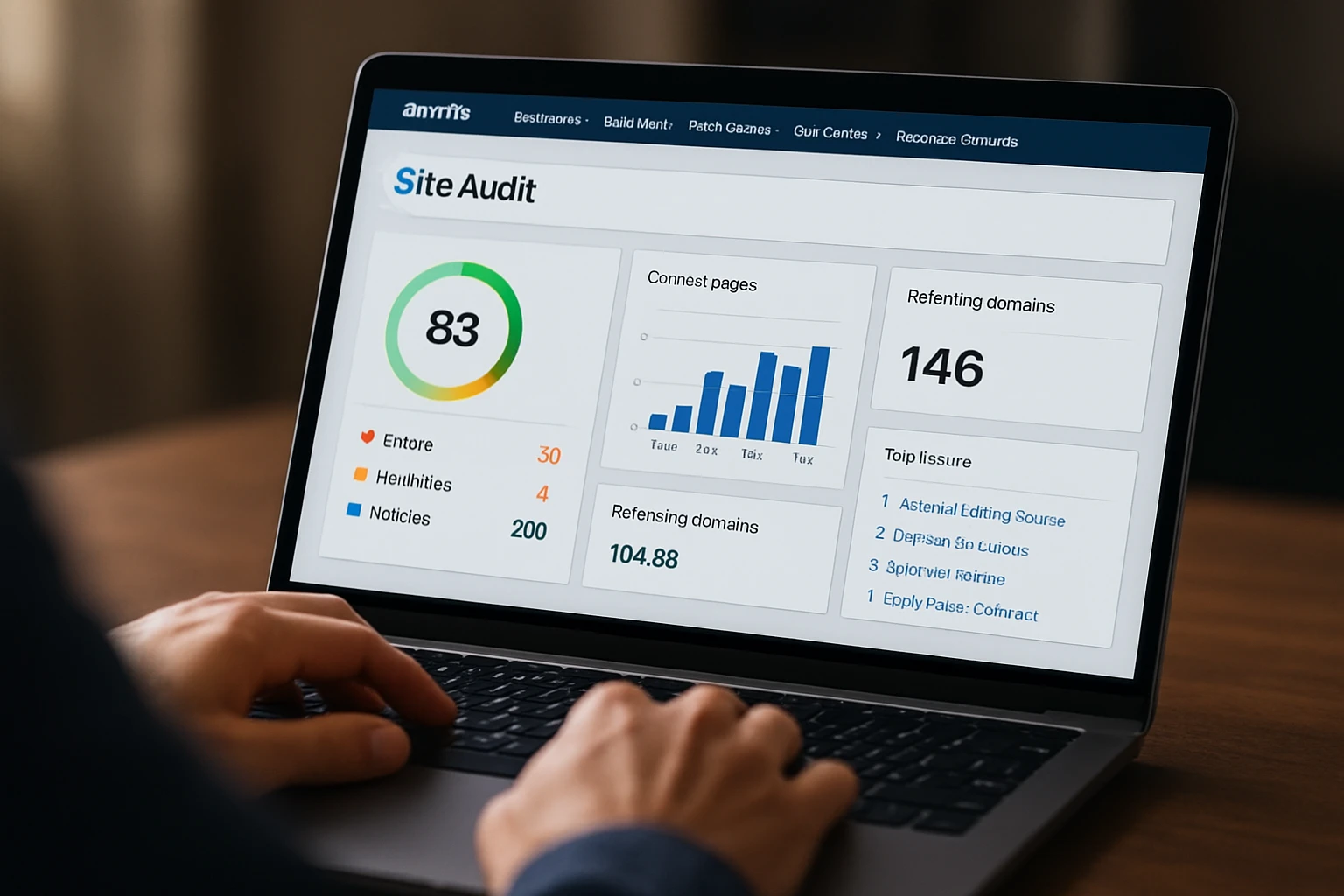
Ahrefs Site Audit shines when you want technical clarity with a link intelligence edge, because it pairs a capable crawler with stellar backlink data to prioritize fixes that protect authority. We lean on it to spot broken backlinks landing on 404s, find internal orphan pages with external links, and diagnose redirect chains that quietly dilute signals; for one Internetzone I retail client, resolving a handful of 3XX chains improved crawl efficiency and stabilized rankings for key categories. The interface surfaces trends in health scores, indexability, and Core Web Vitals-like metrics, making it friendly for stakeholders without sinking them in jargon. If your roadmap depends on defending and amplifying link equity while tightening site hygiene, this is an efficient, insight-rich option.
- Best for: Teams that balance technical cleanup with link preservation and growth.
- Standout features: Broken backlink discovery, chain detection, internal link opportunities, and flexible filtering.
- Quick win: Redirect high-value 404s with inbound links to the closest relevant page and monitor recoveries.
- Watch-outs: Crawl credit consumption can spike on parameterized Uniform Resource Locators (URLs); tune exclusion rules.
#4 Google Search Console — Best for First-Party Indexing Truth
Google Search Console is not a crawler you control, but it is the canonical first-party view of how Google sees your site, and you should treat it as an audit cornerstone. We start audits by checking Index Coverage, Page Indexing, and Core Web Vitals to anchor our hypotheses, then use the Uniform Resource Locator (URL) Inspection tool to test render and live status for troublesome pages. For local programs, pairing Search Console’s Performance report with city or state landing pages clarifies which queries and devices drive results, which then informs both technical fixes and National & Local SEO (Search Engine Optimization) content plans. It is free, it is authoritative, and while it can lag or sample, it answers the most important question in technical Search Engine Optimization: what is actually getting discovered, crawled, and indexed?
- Best for: Everyone; foundational visibility into crawling, indexing, and enhancements.
- Standout features: Index Coverage, enhancements validation, Uniform Resource Locator (URL) inspection, sitemaps, and security or manual actions alerts.
- Quick win: Submit clean XML (eXtensible Markup Language) sitemaps and fix “Crawled — currently not indexed” patterns by improving content quality or internal links.
- Watch-outs: Data can be delayed or sampled; complement with a controllable crawler for completeness.
#5 Sitebulb — Best for Visual, Client-Friendly Insights
Sitebulb takes raw crawl data and turns it into intuitive diagrams and “Hints” that explain problems and solutions in plain language, which is invaluable when you present to non-technical stakeholders. We love its crawl maps, which reveal architecture bottlenecks at a glance, and its internationalization checks, which have saved clients from hreflang confusion more than once. For Internetzone I’s web design projects, Sitebulb has helped us validate mobile navigation depth and click distance after redesigns, ensuring important Uniform Resource Locators (URLs) remain discoverable. If your success depends on making technical findings digestible and rallying content or leadership teams around fixes, Sitebulb’s visuals are a welcome accelerator.
- Best for: Agencies and in-house teams that need clear, presentation-ready insights.
- Standout features: Crawl maps, Hint system, internationalization checks, and JavaScript (JS) rendering.
- Quick win: Use the visual architecture graph to target deep, valuable pages and reduce click depth.
- Watch-outs: Desktop-based; plan for machine resources and shared workflows if teams are remote.
#6 Lumar (formerly Deepcrawl) — Best for Enterprise-Scale Governance
Lumar is a cloud-native crawler built for large, complex sites and mature workflows, combining powerful segmentation with governance features that keep multi-team programs aligned. We rely on it to segment by template, directory, or technology stack, spot JavaScript (JS) rendering gaps at scale, and track regressions release by release; those capabilities make it ideal for enterprise eCommerce where hundreds of Uniform Resource Locators (URLs) change daily. For one Internetzone I client migrating to a new Content Management System (CMS), Lumar’s staging-to-prod comparisons flagged indexability losses before launch, preserving revenue during a fragile window. If you need repeatable audits, cross-environment checks, and collaboration at scale, this platform earns its keep.
- Best for: Enterprises managing frequent releases across multiple teams and environments.
- Standout features: Scalable cloud crawling, segmentation, change tracking, and integrations via Application Programming Interface (API).
- Quick win: Create a template-level segment to prioritize fixes that impact thousands of pages at once.
- Watch-outs: Enterprise pricing and onboarding require planning; assign owners and timelines.
#7 PageSpeed Insights + Lighthouse — Best for Performance Fix Prioritization
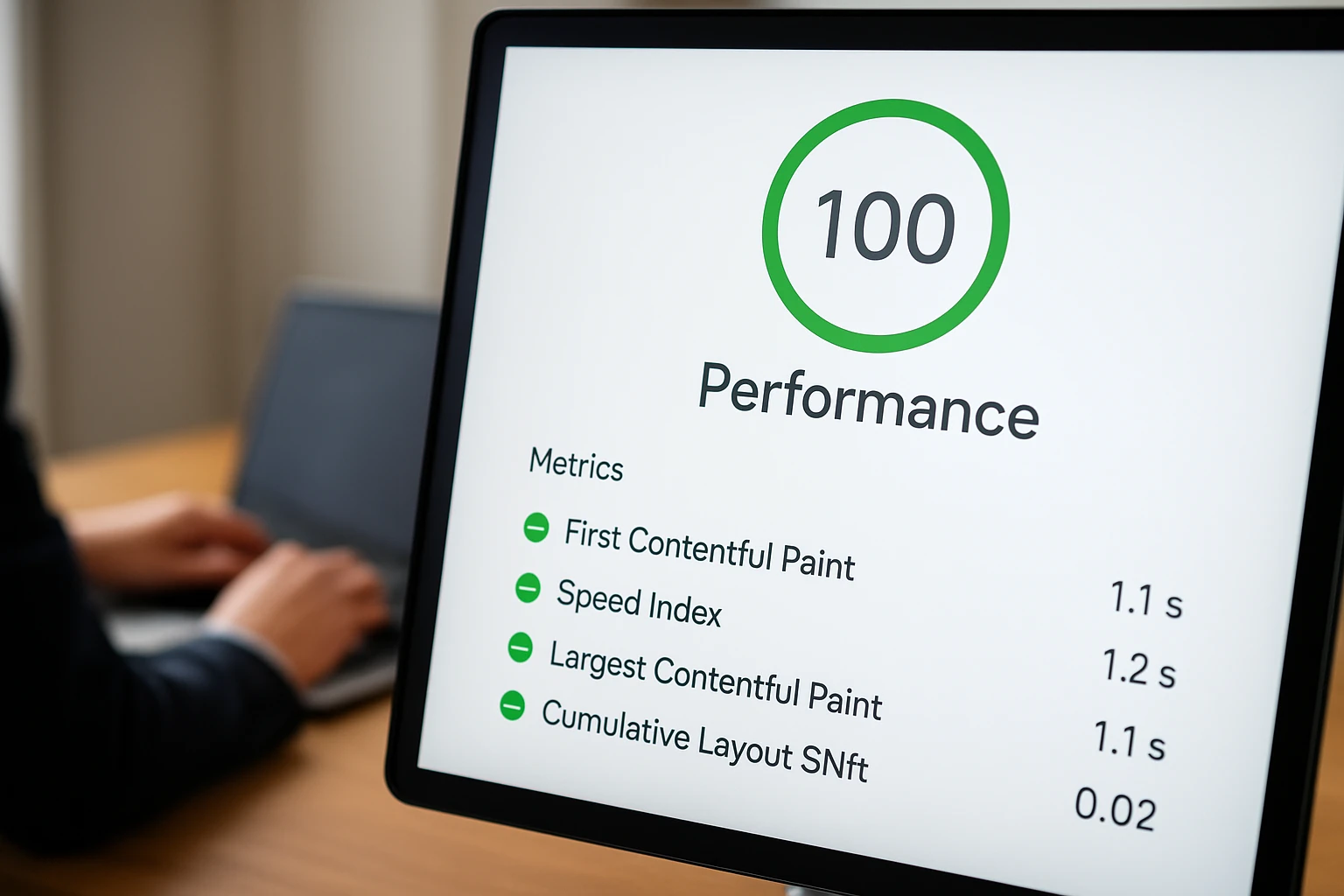
PageSpeed Insights and Lighthouse provide a powerful one-two punch for diagnosing performance with both lab and field context, helping you translate abstract scores into specific engineering tasks. We use them to validate Core Web Vitals like LCP (Largest Contentful Paint), CLS (Cumulative Layout Shift), and INP (Interaction to Next Paint), then turn audits into task lists such as serving next-gen images, deferring non-critical JavaScript (JS), reducing Cascading Style Sheets (CSS) bloat, and tightening Time To First Byte (TTFB). When paired with a crawler, these tools reveal which templates suffer most, so your team can fix classes of problems rather than page-by-page outliers; in one Internetzone I engagement, prioritizing font loading strategies across all templates cut load times by 22 percent and stabilized CLS (Cumulative Layout Shift) below Google’s recommended threshold. Use them early, use them often, and watch your User Experience (UX) metrics march upward.
- Best for: Developers and Search Engine Optimization leads aligning performance with technical health.
- Standout features: Core Web Vitals, field vs lab data, detailed opportunities and diagnostics.
- Quick win: Preload critical hero images and fonts, compress images, and audit render-blocking resources.
- Watch-outs: Scores fluctuate by network and device; evaluate patterns across templates and real users.
At-a-Glance Comparison: 7 SEO (Search Engine Optimization) Technical Audit Tools
Different teams thrive with different combinations, so use this high-level comparison to decide where each tool slots into your stack. We recommend pairing a crawler with a performance analyzer and grounding decisions in first-party data, then layering reporting and governance as your program matures; remember, features and pricing evolve, so always confirm details on vendor sites before committing.
| Tool | Best For | Crawl Type | JavaScript (JS) Rendering | Core Web Vitals Focus | Free Tier |
|---|---|---|---|---|---|
| Screaming Frog SEO (Search Engine Optimization) Spider | On-demand deep dives | Desktop | Yes | Indirect via integrations | Limited |
| Semrush Site Audit | Integrated marketing workflows | Cloud | Yes | Reports and hints | Trial options |
| Ahrefs Site Audit | Link-savvy diagnostics | Cloud | Yes | Reports and trends | Trial options |
| Google Search Console | First-party indexing truth | First-party data | N/A (not a crawler) | Core Web Vitals reports | Yes |
| Sitebulb | Visual explanations | Desktop | Yes | Recommendations | Trial options |
| Lumar (formerly Deepcrawl) | Enterprise governance | Cloud | Yes | Dashboards and alerts | Varies |
| PageSpeed Insights + Lighthouse | Performance prioritization | Lab + field testing | N/A (performance analyzers) | Core Web Vitals deep dive | Yes |
How to Choose the Right Option
Start with your constraints and outcomes, not with feature FOMO (Fear Of Missing Out), because the right stack is the one that consistently turns findings into fixes that move your Key Performance Indicators (KPIs). If you operate a local franchise network, you need crisp segmentation by city pages, Google Business Profile coordination, and fast mobile checks; if you run national eCommerce, you need scalable crawling, JavaScript (JS) rendering at depth, and regression alerts aligned to release cycles. Internetzone I helps clients pair a controllable crawler with PageSpeed Insights or Lighthouse for performance, then grounds decisions with Google Search Console for first-party truth, and finally layers dashboards that non-technical leaders can parse. That combination means your developers get precise tasks, your marketers get clear projections, and your executives see risk drop and rankings rise.
- Clarify goals: choose 3 to 5 Key Performance Indicators (KPIs) such as indexation rate, click depth, Core Web Vitals, and conversions.
- Audit what you have: run a baseline crawl and performance test across top templates and devices.
- Balance power and usability: prefer tools your team will use weekly, not just during big projects.
- Segment by business model: prioritize National & Local SEO (Search Engine Optimization) needs vs enterprise governance.
- Close the loop: ensure exports and dashboards slot into your sprint rituals and executive reviews.
- Consider managed help: Internetzone I can operate the stack, fix issues, and align it with PPC (Pay-Per-Click), web design, and eCommerce roadmaps.
Real-World Wins: What Happens After You Choose Well?
Here are two snapshots from Internetzone I programs that matched tools to goals and shipped fixes quickly, because the best audit is the one that turns insight into outcomes. For a regional healthcare provider focused on National & Local SEO (Search Engine Optimization), we combined Screaming Frog SEO (Search Engine Optimization) Spider, Google Search Console, and PageSpeed Insights to repair internal navigation and compress images; organic appointments rose 19 percent quarter over quarter as Core Web Vitals stabilized and location pages climbed. For a national B2B (Business-to-Business) eCommerce brand, Lumar segments flagged JavaScript (JS) rendering gaps on category templates, Semrush helped prioritize fixes by revenue impact, and a sprint focused on caching and Content Delivery Network (CDN) tuning cut Time To First Byte (TTFB) and lifted long-tail rankings across thousands of Uniform Resource Locators (URLs).
Seven battle-tested tools, one clear mission: find what is broken, fix it fast, and protect the gains you earn. Imagine the next 12 months with fewer fire drills, steadier releases, and a technical backbone that quietly amplifies every campaign you run. Which tool combo will you deploy first to make your next seo technical audit not just insightful, but unmistakably profitable?
Accelerate Your SEO Technical Audit Wins with Internetzone I
Internetzone I aligns National & Local SEO (Search Engine Optimization) with audits to elevate online visibility, reputation, and performance for companies of all sizes.