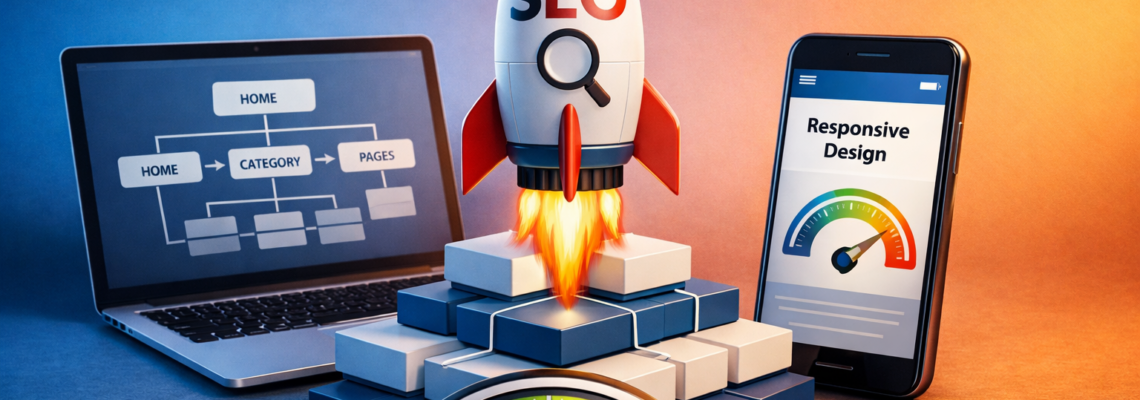
The SEO-focused Web Design Playbook: How Site Architecture, Mobile-First Design & Speed Win Rankings
What if your website felt fast, intuitive, and persuasive—and Google loved it too? That is the promise of SEO-focused web design (Search Engine Optimization-focused web design). It is not just about pretty layouts; it is a blueprint that aligns site architecture, mobile-first experiences, and performance with how search engines and people actually behave. Today, mobile accounts for most browsing sessions across many industries, and multiple studies show that even a one‑second delay can drop conversions noticeably. So the question becomes simple: are your pages organized to be crawled, your content designed to be consumed on a phone, and your code tuned to load instantly?
If you have ever launched a gorgeous site that barely moved the needle, you already know the pain of misalignment. At Internetzone I, we see this daily: businesses struggle to rank, keep a positive reputation, and manage complex campaigns across SEO (Search Engine Optimization), PPC (Pay-Per-Click), web design, eCommerce, and reviews. The good news is that a unified plan fixes it. When your navigation mirrors search demand, your mobile layouts minimize friction, and your speed crushes Core Web Vitals—like LCP (Largest Contentful Paint), CLS (Cumulative Layout Shift), and INP (Interaction to Next Paint)—you get visibility and revenue. Ready to see how the pieces fit?
SEO-focused Web Design Fundamentals
Let’s start with the foundation. A search-friendly website starts with information architecture that mirrors how your customers search, a technical base that is crawlable and indexable, and a user experience that converts. Think of your site like a well-planned city. Clear highways (your primary navigation), efficient side streets (internal links), accurate street signs (title tags and headings), and fast traffic flow (performance) all work together. When those systems support each other, search engines can understand your pages, and visitors can accomplish tasks without friction. That is the difference between a design that looks good and one that grows revenue.
- Site architecture that reflects real query clusters on the SERP (Search Engine Results Page).
- Semantic HTML (HyperText Markup Language) and lean CSS (Cascading Style Sheets) for clean rendering.
- Responsive layouts for mobile-first indexing, not just mobile-friendly aesthetics.
- Performance budgets focused on CWV (Core Web Vitals): LCP (Largest Contentful Paint), CLS (Cumulative Layout Shift), and INP (Interaction to Next Paint).
- Structured data and a comprehensive XML (eXtensible Markup Language) sitemap for coverage.
- Human-centered UX (User Experience) and clear CTA (Call To Action) patterns to drive conversions.
Under the hood, crawler access matters. Your robots.txt file should enable discovery, your XML (eXtensible Markup Language) sitemap should list canonical URLs (Uniform Resource Locators), and your internal links should distribute equity across priority pages. Meanwhile, accessible design—like logical heading order, descriptive alt text, and readable contrast—helps both real users and algorithms that infer quality signals. Most importantly, content and design collaborate. Pages need purpose, intent alignment, and conversion outcomes. When Internetzone I orchestrates these fundamentals, businesses earn stable rankings, defend reputation, and convert qualified traffic.
How It Works: From Crawl to Conversion
Search engines begin with crawling. They fetch HTML (HyperText Markup Language), parse CSS (Cascading Style Sheets), execute JS (JavaScript), and build a DOM (Document Object Model). If your code is bloated or your JS (JavaScript) blocks rendering, the crawler may not see what users see. Next comes indexing: search engines decide whether each URL (Uniform Resource Locator) belongs in their database and which terms it is relevant for. Ranking then weighs hundreds of signals—content quality, page speed, internal links, and more—before showing your result on the SERP (Search Engine Results Page). Finally, users click and convert, where UX (User Experience) and clear CTA (Call To Action) design take over.
Watch This Helpful Video
To help you better understand SEO-focused web design, we’ve included this informative video from Nathan Gotch. It provides valuable insights and visual demonstrations that complement the written content.
Architecture is your map for both bots and humans. A hub-and-spoke model connects category hubs to detailed pages, ensuring crawl depth stays shallow and topical relevance remains strong. Internal links act like votes, guiding crawlers and visitors to what matters most. Mobile-first indexing means Google primarily evaluates the mobile version, so responsive design is mission-critical. That includes tap-friendly controls, flexible images, and font sizing that respects small screens. Speed rounds it out: you can improve TTFB (Time to First Byte) with caching and hosting, LCP (Largest Contentful Paint) by optimizing hero media, and CLS (Cumulative Layout Shift) by reserving space for images and embeds.
| Stage | What Search Engines Do | Design and Dev Actions | Key KPIs (Key Performance Indicators) | Helpful Tools |
|---|---|---|---|---|
| Crawl | Fetch and follow links; parse code | Clean HTML (HyperText Markup Language), logical nav, no orphan pages | Crawl depth, crawl errors | GSC (Google Search Console), Screaming Frog |
| Index | Assess relevance and canonical | Canonical tags, XML (eXtensible Markup Language) sitemaps, robots.txt | Index coverage, duplicate ratio | GSC (Google Search Console) |
| Render | Execute JS (JavaScript), layout page | Defer non-critical JS (JavaScript), critical CSS (Cascading Style Sheets) | TTFB (Time to First Byte), render time | Lighthouse, WebPageTest |
| Rank | Score signals; order results | Intent-mapped content, internal links, schema | CTR (Click-Through Rate), average position | GSC (Google Search Console), Semrush |
| Convert | Deliver traffic to site | Clear CTA (Call To Action), fast forms, trust signals | Conversion rate, revenue | Analytics, A/B (split) testing |
Best Practices That Move Rankings Right Now

Want a punchy checklist you can act on this week? Start by mapping your architecture to real queries. Build category pages for core topics, and use supporting articles to answer adjacent questions. Then make mobile the default: design from the smallest screen up, prioritize content hierarchy, and keep interactions thumb-friendly. Finally, adopt a performance budget. If a new library or animation does not serve a goal, it does not ship. That discipline alone can rescue CWV (Core Web Vitals) and raise engagement.
- Plan IA (information architecture) from keyword clusters and user stories; validate with card sorting.
- Ship responsive components first; avoid separate m-dot URLs (Uniform Resource Locators).
- Use semantic HTML (HyperText Markup Language) and ARIA for accessibility without bloating JS (JavaScript).
- Set performance budgets tied to LCP (Largest Contentful Paint), CLS (Cumulative Layout Shift), and INP (Interaction to Next Paint).
- Compress and resize images; serve next-gen formats; lazy-load below-the-fold assets.
- Adopt a CDN (Content Delivery Network) and server-side caching to speed global delivery.
- Implement schema markup for products, FAQs (Frequently Asked Questions), and local business details.
- Design conversion-first layouts: clear CTA (Call To Action), frictionless forms, and trust signals.
- Align content with E-E-A-T principles—demonstrate real experience, expertise, authoritativeness, and trustworthiness.
- Monitor with GSC (Google Search Console), Analytics, and heatmaps; iterate via A/B (split) testing.
| Design Decision | SEO (Search Engine Optimization) Impact | Metric to Watch | Tooling | Owner |
|---|---|---|---|---|
| Navigation depth reduced to 3 clicks | Faster discovery and stronger topical signals | Crawl depth; index coverage | Screaming Frog; GSC (Google Search Console) | Information architect |
| Responsive image sets and lazy loading | Improves LCP (Largest Contentful Paint) and mobile UX (User Experience) | LCP (Largest Contentful Paint) | Lighthouse; PageSpeed Insights | Front-end developer |
| Server caching and CDN (Content Delivery Network) | Better TTFB (Time to First Byte) and stability under load | TTFB (Time to First Byte) | WebPageTest; hosting dashboards | DevOps |
| Schema for products and reviews | Richer snippets and higher CTR (Click-Through Rate) | CTR (Click-Through Rate) | Rich Results Test | SEO (Search Engine Optimization) |
| Clear CTA (Call To Action) and trust badges | Improved conversion rate and revenue | Conversion rate | Analytics; A/B (split) testing | UX (User Experience) designer |
Here is a quick story to make it real. A regional service brand engaged Internetzone I for a redesign. We rebuilt navigation around five demand-led hubs, shipped a lean responsive system, and set a strict 2.5-second LCP (Largest Contentful Paint) budget. Within a quarter, index coverage improved, non-branded organic clicks rose significantly, and call inquiries increased. Different industry, same playbook: the right architecture plus mobile-first speed and conversion design is a growth engine.
Common Mistakes That Quietly Kill Rankings
Plenty of sites underperform not because of bad ideas but because of avoidable traps. The fastest way to win is often to stop losing. Do any of these sound familiar? If so, a focused fix can unlock results quickly and protect future launches. The pattern you will notice: almost every mistake disrupts crawlability, relevance, or speed—and those are the very levers you need to win.
- Bloated frameworks that block render; JS (JavaScript)-heavy pages without server rendering.
- Unmapped migrations—no redirects, lost backlinks, and broken internal links.
- Thin category pages without unique value; duplicate templates everywhere.
- CLS (Cumulative Layout Shift) from unreserved image slots or late-loading ads.
- Oversized hero media crushing LCP (Largest Contentful Paint).
- Conflicting canonical tags; parameter chaos; faceted navigation gone wild.
- Accessibility gaps that hurt UX (User Experience) and engagement.
- Ignoring local signals for multi-location businesses—NAP inconsistencies and weak local landing pages.
| Mistake | Symptom | Recommended Fix | Business Impact |
|---|---|---|---|
| No redirect map after redesign | Traffic drop; 404 errors | 301 map old to new URLs (Uniform Resource Locators); validate in GSC (Google Search Console) | Recover authority and leads |
| Unoptimized images and video | Slow LCP (Largest Contentful Paint) | Compress, resize, lazy-load; serve modern formats | Faster pages and higher conversions |
| JavaScript-only rendering | Content missing in cache | SSR or pre-render critical content; hydrate selectively | Restored indexation and relevance |
| Generic category pages | Low rankings for head terms | Unique copy, FAQs (Frequently Asked Questions), and internal links to detailed pages | Wider keyword coverage and revenue |
| Weak internal links | Orphan pages; crawl inefficiency | Hub-and-spoke linking; breadcrumb trails | Improved discovery and authority flow |
Internetzone I often joins right after a painful migration. One retailer lost visibility when thousands of URLs (Uniform Resource Locators) changed without a redirect strategy. Our team rebuilt the architecture, mapped redirects, trimmed JS (JavaScript) weight by half, and implemented a CDN (Content Delivery Network). The site recovered, then surpassed previous traffic highs, while reputation scores rose thanks to clearer UX (User Experience) and streamlined review integrations. Mistakes can be costly, but they are also opportunities to leap ahead when corrected quickly.
Tools and Resources for SEO-Focused Site Builds

You do not need a giant toolkit—just the right tools for each stage. For discovery, use keyword research platforms plus GSC (Google Search Console) to find queries you already surface for. For crawling and auditing, Screaming Frog or Sitebulb map your structure. For performance, Lighthouse, PageSpeed Insights, and WebPageTest highlight LCP (Largest Contentful Paint), CLS (Cumulative Layout Shift), and INP (Interaction to Next Paint) bottlenecks. For analytics, combine event tracking with dashboards that track KPIs (Key Performance Indicators) across traffic, conversions, and revenue. If you use a CMS (Content Management System), pick themes and plugins that respect performance budgets and accessibility from day one.
- GSC (Google Search Console) and Analytics for coverage, CTR (Click-Through Rate), and queries.
- Lighthouse, PageSpeed Insights, and WebPageTest for CWV (Core Web Vitals).
- Screaming Frog or Sitebulb for crawl mapping and internal link analysis.
- Rich Results Test and Schema.org guidelines for structured data validation.
- Heatmaps and session replays for UX (User Experience) insights and A/B (split) testing ideas.
Need a partner to orchestrate all of this? Internetzone I offers National and Local SEO (Search Engine Optimization), Web Design (mobile responsive, SEO-focused), eCommerce solutions, Reputation Management, Adwords-Certified PPC (Pay-Per-Click) Services, and Managed Web Services. That means one accountable team to align architecture, content, performance, and paid media. Whether you are launching a new property or rescuing a legacy platform, our approach reduces risk and accelerates results. And because we manage reputation and PPC (Pay-Per-Click) alongside SEO (Search Engine Optimization), you get a unified strategy that protects your brand while it grows.
Your Next Steps for SEO-focused Web Design Success
Here is the core promise in one line: when architecture, mobile design, and speed move in lockstep, rankings and conversions rise together. Imagine the next 12 months with a site that answers intent, loads instantly, and guides every visitor to a clear win. What would a single, well-planned sprint toward SEO-focused web design (Search Engine Optimization-focused web design) change for your pipeline, your team, and your customers?
Additional Resources
Explore these authoritative resources to dive deeper into SEO-focused web design.
Elevate Results with Internetzone I Web Design
Internetzone I crafts mobile responsive, SEO-focused web design that lifts visibility, strengthens reputation, and accelerates digital performance for companies of all sizes.
Frequently Asked Questions About Site Architecture, Mobile-First, and Speed
Q: What is the fastest way to improve rankings on an existing site?
A: Start with a technical audit. Fix crawl errors, map redirects, compress media to improve LCP (Largest Contentful Paint), and strengthen internal links. These are high-leverage tasks that compound quickly.
Q: Do I need a separate mobile site for mobile-first indexing?
A: No. A responsive approach is recommended. Focus on content parity and UX (User Experience) that prioritizes small-screen tasks, tap targets, and fast interactions.
Q: How do I balance animations with speed?
A: Use motion deliberately. Prefer CSS (Cascading Style Sheets) transforms, limit JS (JavaScript), and test the impact on CWV (Core Web Vitals). If it does not serve a goal, it does not ship.
Q: Where does PPC (Pay-Per-Click) fit if I am investing in SEO (Search Engine Optimization)?
A: PPC (Pay-Per-Click) accelerates insights and demand capture while SEO (Search Engine Optimization) compounds long-term. Internetzone I integrates both so landing pages, keywords, and messaging reinforce each other.
Q: How do I measure success?
A: Track KPIs (Key Performance Indicators) across visibility, engagement, and revenue: impressions and CTR (Click-Through Rate), CWV (Core Web Vitals), conversion rate, and customer lifetime value inside your CRM (Customer Relationship Management).