
Struggling with bouncy mobile traffic, slow load times, and a site that looks great on one screen and broken on another? You are not alone. Businesses often struggle to establish a strong online presence, achieve high search engine rankings, maintain a positive online reputation, and manage campaigns. In this guide, I will walk you through how to create an example responsive web design that looks sharp, speeds up, and sells across every device. When you finish, you will have a practical roadmap to design for growth, not just for looks.
Why should you care today? More than half of global web traffic is mobile, and over 50 percent of visitors abandon pages that take longer than three seconds to load, according to widely cited industry data. That is why Internetzone I, Inc. brings together SEO (Search Engine Optimization), PPC (Pay-Per-Click), eCommerce, and web design to help you turn visitors into customers. Ready to make your site feel like it was built for every screen and every search?
Prerequisites and Tools You Will Need
Before diving into pixels and breakpoints, you need a few essentials. Think of this like packing for a road trip. You would not start the engine without maps, snacks, and a full tank. The same goes for building a responsive website that converts. Gather your goals, assemble a team, and choose a lightweight, modern toolkit that plays nicely with performance, accessibility, and search.
- Clear business objectives and KPIs (Key Performance Indicators): leads, sales, demo requests, or bookings.
- Content inventory and priority list: what users need first on mobile, then desktop.
- Tech basics: HTML (Hypertext Markup Language), CSS (Cascading Style Sheets), and JS (JavaScript) familiarity.
- Design and dev tools: a modern IDE (Integrated Development Environment), browser DevTools (Developer Tools), Git-based versioning, and a staging server.
- Optional helpers: a CMS (Content Management System) like WordPress, a CDN (Content Delivery Network), analytics, and heatmaps.
Not sure which tools map to which outcomes? Use this quick reference to get aligned with your team and stay efficient from day one.
| Goal | Recommended Tool | Why It Helps |
|---|---|---|
| Rapid layout prototyping | Figma or Sketch | Fast wireframes and clickable flows to validate on mobile first. |
| Clean, semantic markup | HTML (Hypertext Markup Language) validator | Prevents accessibility and SEO (Search Engine Optimization) issues early. |
| Performance testing | Lighthouse and WebPageTest | Benchmarks Core Web Vitals like LCP (Largest Contentful Paint) and CLS (Cumulative Layout Shift). |
| Cross-browser checks | Browserstack or Saucelabs | Real device and browser coverage without a device lab. |
| Measurement | GA4 (Google Analytics 4) and GSC (Google Search Console) | Tracks traffic, queries, and conversion funnels to guide iterations. |
Step 1: Define Goals, Audiences, and KPIs for an Example Responsive Web Design
Great design starts with clarity. Who are you building for, and what should they do on your site? List your primary segments and the one action that matters most on each key page. For a B2B (Business to Business) services firm, that might be scheduling a consult. For a retailer, it is add to cart and checkout flow. Document these KPIs (Key Performance Indicators), because they will shape layout, content prioritization, and testing.
Watch This Helpful Video
To help you better understand example responsive web design, we’ve included this informative video from Flux Academy. It provides valuable insights and visual demonstrations that complement the written content.
Translate goals into content priority. On mobile, users often skim, so give them the essentials first: headline value, proof, clear action, and social trust like reviews. Internetzone I often starts with a simple outcome map: If a user lands on Page A from Query B, what problem are they trying to solve, and what proof do we show in five seconds? Answer that, and your layout practically builds itself.
- Write one-sentence page goals.
- Rank content blocks by user value on a phone.
- Define one primary CTA (Call to Action) per page.
- Pick 2 to 3 KPIs (Key Performance Indicators) to measure success.
Step 2: Map Content and IA (Information Architecture) with Wireframes
Your site’s information architecture is the spine of the experience. Start with mobile-first wireframes so every pixel earns its place on small screens. Keep navigation short, use descriptive labels, and limit the number of choices. A mega menu can work on desktop, but on mobile it should collapse into intuitive, bite-size groups that match how people search and think.
Sketch three responsive states for each key template: mobile portrait, tablet landscape, and desktop. Label each block with its job, such as build trust, guide action, or explain value. Add notes for dynamic content or personalization. At Internetzone I, we frequently validate these wireframes with five-minute user walkthroughs before writing a single line of code. You will catch 80 percent of layout issues right here.
- Favor descriptive nav labels over generic terms like Solutions.
- Use breadcrumb trails for depth and context.
- Group related items under plain language headings.
- Design for tap, swipe, and short attention spans on mobile.
Step 3: Build a Fluid Layout with CSS (Cascading Style Sheets) Grid and Flexbox
Forget rigid pixel-perfect boxes. Fluid grids let content breathe across devices without breaking. Start with a max-width container, percentage-based columns, and spacing that scales with the viewport. CSS (Cascading Style Sheets) Grid handles two-dimensional layouts like product listings and gallery cards, while Flexbox shines for linear flows like nav bars, benefit lists, and pricing features.
For typography, use relative units so your text scales gracefully. Adopt a spacing system and stick to it to keep rhythm across breakpoints. If you can, lean into modern features like clamp for fluid type that snaps to sensible min and max sizes. This reduces the need for a dozen media queries, which simplifies maintenance and boosts performance.
- Use semantic tags like header, main, nav, section, and footer for structure and SEO (Search Engine Optimization).
- Prefer minmax and auto-fill in CSS (Cascading Style Sheets) Grid for responsive columns.
- Set images to max-width 100 percent and height auto.
- Adopt a 4 or 8 point spacing system for visual consistency.
Step 4: Set Smart Breakpoints and Scalable Type That Reads Everywhere
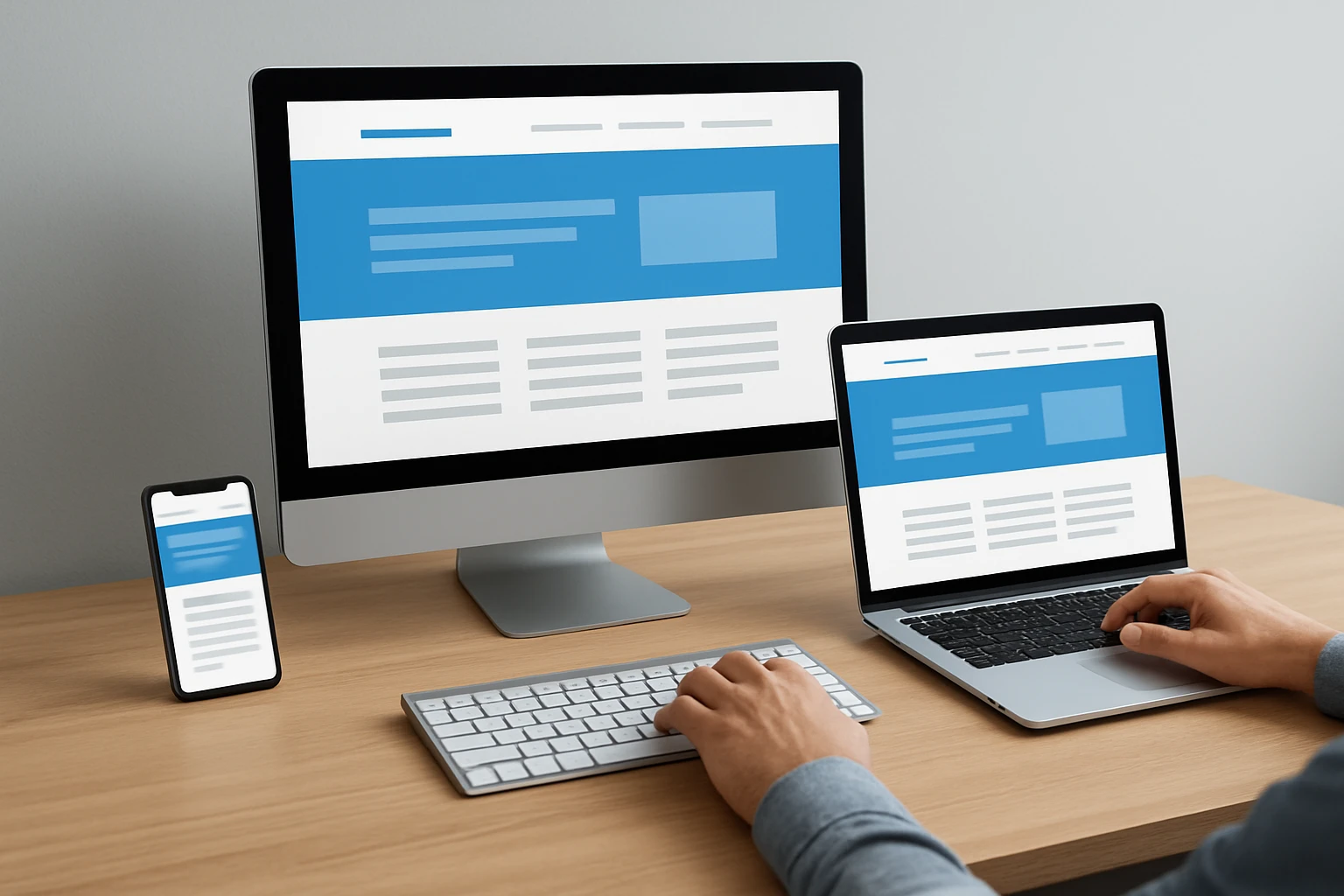
Breakpoints are not about devices; they are about when your layout breaks. Start from mobile, expand the viewport, and note the exact widths where content feels tight or too loose. Those are your custom breakpoints. Yes, common device widths help, but tailor them to your design. Then define a fluid type scale that is legible on smaller screens and commanding on larger displays.
Use this practical table as a baseline, then adjust to your content. It shows common min-width breakpoints and the shifts that typically occur in real projects. Test each change with actual content, not lorem ipsum filler.
| Breakpoint Min-Width | Typical Devices | Layout Changes | Notes |
|---|---|---|---|
| 0 px | Phones portrait | Single column, stacked sections, big tap targets | Prioritize primary CTA (Call to Action) and value above the fold |
| 600 px | Phones landscape, small tablets | Two columns for cards, horizontal nav options | Check line length for readability |
| 768 px | Tablets portrait | Sidebar appears, denser header | Test thumb reach for key actions |
| 1024 px | Tablets landscape, small laptops | Three to four column grids, expanded menus | Introduce supportive imagery and testimonials |
| 1280 px | Desktops | Wider content, generous whitespace | Keep max line length near 70 to 90 characters |
Step 5: Optimize Media, Performance, and Core Web Vitals (User-Centered Speed)
Speed is a feature. Google data shows that better Core Web Vitals correlates with higher engagement and conversions. Focus on LCP (Largest Contentful Paint) under 2.5 seconds, CLS (Cumulative Layout Shift) near 0.1 or less, and INP (Interaction to Next Paint) under 200 ms (milliseconds). Start with images because they are often your heaviest assets. Serve responsive images with modern formats and explicit dimensions to prevent layout jumps.
Next, reduce and defer scripts. Limit third-party tags, bundle thoughtfully, and prioritize what truly drives conversions. Use a CDN (Content Delivery Network), enable browser caching, and compress text assets with Brotli or Gzip (GNU zip). Every kilobyte you remove is a gift to your users and your rankings.
- Use srcset and sizes for responsive images and preload your LCP (Largest Contentful Paint) hero image.
- Lazy-load below-the-fold media and defer non-critical JS (JavaScript).
- Inline critical CSS (Cascading Style Sheets) and defer the rest.
- Audit third-party scripts quarterly; remove what does not earn its keep.
Step 6: Make Navigation Accessible and Touch-Friendly
Accessibility is not optional. It is how you widen your audience and reduce legal risk while improving UX (User Experience) for everyone. Follow WCAG (Web Content Accessibility Guidelines) for contrast, focus states, and semantics. Use ARIA (Accessible Rich Internet Applications) attributes on complex widgets like accordions and carousels, and ensure keyboard navigation works everywhere.
On mobile, touch rules the day. Increase tap target sizes to at least 44 by 44 px, space links so thumbs do not hit the wrong one, and make sticky headers compact but scannable. Descriptive link text beats Read more every time. Internetzone I bakes these patterns into every build so your users feel in control on any screen.
- Label form fields with both visible labels and aria-label where needed.
- Provide skip to content links for screen reader users.
- Ensure color is not the only way you convey meaning.
- Respect reduced motion preferences for animated elements.
Step 7: Test Across Devices, Browsers, and Real-World Conditions
Testing is where good intentions meet reality. Use real devices whenever possible, then fill gaps with emulators. Check Chrome, Safari, Firefox, and Edge for layout and behavior consistency. Simulate slow 3G (third-generation mobile network) or 4G (fourth-generation mobile network) and test dark mode, reduced motion, and low battery conditions. Your customers use the web in messy, imperfect environments, so you should test there too.
Adopt a simple QA (Quality Assurance) checklist by template. That way, each release follows the same rigor without slowing your team. Internetzone I follows a repeatable test plan that saves hours on every sprint and catches regressions early. Document issues with screenshots and Lighthouse reports so fixes are clear and fast.
- Visual checks: header, nav, hero, content blocks, and footer at key breakpoints.
- Interactions: menus, forms, modals, and carousels with keyboard and touch.
- Performance: LCP (Largest Contentful Paint), CLS (Cumulative Layout Shift), and INP (Interaction to Next Paint) on mobile first.
- Accessibility: color contrast, focus order, alt text, and ARIA (Accessible Rich Internet Applications) roles.
Step 8: Bake In SEO (Search Engine Optimization), Structured Data, and Analytics

Responsive without findable is a missed opportunity. Start with intent-focused keywords for each page, write compelling title tags and meta descriptions, and organize headings for clarity. Add schema.org structured data for products, FAQs (Frequently Asked Questions), articles, and local business info to enhance visibility in search features. Faster pages and clearer content usually lift CTR (Click-Through Rate) and conversions together.
Next, wire up analytics that match your KPIs (Key Performance Indicators). Track events for CTA (Call to Action) clicks, form steps, and scroll depth to see where interest drops. Internetzone I blends on-site analytics with GSC (Google Search Console) data to surface opportunities, while National and Local SEO (Search Engine Optimization) efforts align content with the way real customers search.
- Map one primary intent per page and avoid keyword cannibalization.
- Generate XML (Extensible Markup Language) sitemaps and keep canonical tags accurate.
- Implement Open Graph and Twitter Card metadata for strong social previews.
- Set up dashboards to watch conversions by device and entry page.
Common Mistakes That Kill Responsive Results
Even smart teams fall into these traps. The good news is you can dodge them with simple guardrails. Treat this list like a preflight checklist before launch. A few minutes here can save weeks of rewrites later. When in doubt, keep it simple, semantic, and fast. That combination, plus customer-centric content, is a reliable growth engine.
- Designing desktop-first, then cramming into mobile later.
- Using fixed pixel widths and ignoring max-width constraints.
- Skipping image compression and responsive srcset.
- Relying on text in images instead of real HTML (Hypertext Markup Language) text.
- Forgetting the meta viewport tag, breaking zoom and layout on phones.
- Inaccessible forms with unlabeled inputs or weak contrast.
- Too many third-party scripts bloating performance and privacy risks.
- No analytics tied to KPIs (Key Performance Indicators), so optimization guesses in the dark.
Where Internetzone I Accelerates Your Build and Your Growth
You can DIY this process, but a seasoned partner shortens the path and reduces risk. Internetzone I, Inc. provides comprehensive digital marketing services including SEO (Search Engine Optimization), web design, eCommerce development, reputation management, and PPC (Pay-Per-Click) advertising to help businesses grow online. That means your responsive build is not just pretty; it is aligned to revenue and reputation from day one.
| Service | What You Get | Business Impact |
|---|---|---|
| National and Local SEO (Search Engine Optimization) | Intent-driven content, local listings, technical cleanups | Higher rankings, qualified traffic, more calls and foot traffic |
| Web Design, Mobile Responsive and SEO-Focused | Fluid layouts, fast loads, accessible components | Better UX (User Experience), stronger conversions, improved brand trust |
| eCommerce Solutions | Product architecture, optimized checkout, rich schema | Increased average order value and reduced cart abandonment |
| Reputation Management | Review generation, monitoring, and response playbooks | Higher star ratings and visibility that lift CTR (Click-Through Rate) |
| Adwords-Certified PPC (Pay-Per-Click) Services | Granular targeting, landing pages that match intent | Immediate traffic and measurable ROI (Return on Investment) |
| Managed Web Services | Hosting, security updates, and continuous optimization | Peace of mind and consistent performance improvements |
Real-world example? A regional retailer partnered with Internetzone I to rebuild their mobile-first storefront. After implementing a fluid layout, responsive images, and structured data, they saw a 32 percent lift in mobile conversion rate and a 48 percent faster LCP (Largest Contentful Paint) in six weeks. Your mileage may vary, but the pattern holds when you align content, speed, and intent.
Launch, Measure, and Iterate for Lasting Growth
This entire playbook boils down to one promise: design responsively, measure relentlessly, and ship improvements weekly. Imagine the next 12 months where every release trims seconds, clarifies value, and nudges more visitors to act. That is how responsive design compounds into brand reputation and revenue momentum.
Start with your highest-impact template, validate on mobile, and use analytics to guide the next sprint. What would your roadmap look like if every change served your users first and supported your example responsive web design goal?
Transform Your Example Responsive Web Design with Internetzone I
Internetzone I delivers Web Design (mobile responsive, SEO-focused) that boosts visibility and conversions while unifying SEO, eCommerce, PPC, and reputation to help businesses grow online.