
If you are weighing your next seo technical audit, this guide rounds up twelve checklists that actually move the needle. Whether you manage one site or a portfolio with hundreds of locations, you will find options that uncover hidden crawl barriers, sluggish templates, and cannibalized pages before they sabotage revenue. I have run audits in turnaround situations where a few redirections, a robots.txt cleanup, and structured data fixes lifted organic sessions by double digits in weeks. And because the stakes are high, I will show you how Internetzone I ties each audit to business outcomes, from faster pages to stronger local visibility.
Who is this for? Companies of all sizes aiming to enhance their online visibility, reputation, and overall digital marketing performance, especially leaders who want practical steps instead of jargon. You will see how each checklist handles the essentials of SEO (search engine optimization): crawlability, indexation, site speed, Core Web Vitals, structured data, internal linking, and mobile experience. Along the way, I will share real-world tips we use at Internetzone I to align audits with sales goals, ads, and even customer reviews, because a pristine site that does not convert still misses the mark. Ready to benchmark your process against the best checklists in 2026?
SEO Technical Audit Selection Criteria That Actually Predict Wins
Not all checklists are created equal, and the wrong one can waste weeks while problems linger. To curate this list, I scored each option against criteria that consistently correlate with organic growth in our client work at Internetzone I. The goal is simple: you need a repeatable workflow that flags critical issues, prioritizes them by impact, and translates fixes into revenue, leads, and store visits. Below are the pillars I used so you can evaluate any checklist at a glance and pick what fits your stack, team size, and timelines.
- Coverage depth: Does it fully address crawlability, indexation, site speed, mobile responsiveness, structured data, internal links, and canonicalization without leaving blind spots?
- Automation vs. judgment: Can it automate discovery while leaving room for expert interpretation and business context?
- Local readiness: Does it include guidance for multi-location signals like Google My Business, local landing pages, and review markup?
- Data sources: Does it integrate logs, analytics, and server responses for a 360 view of the site?
- Prioritization: Are issues scored by potential traffic and revenue impact with clear next steps?
- Scalability: Will it crawl millions of pages or handle complex templates without timing out?
- Collaboration: Does it export tasks cleanly to project tools and support handoffs between marketing and development?
- Training value: Is it beginner friendly while still offering advanced checks for seasoned practitioners?
At-a-Glance Comparison of the 12 Checklists
| Checklist | Format | Automation Level | Best For | Pricing | Highlights |
|---|---|---|---|---|---|
| Ultimate SEO Complete Package (Internetzone I) | Guided + Service | Assisted | National and Local brands | Custom | Revenue-focused priorities, local landing pages, structured data |
| Moz Technical SEO Checklist | Guide | Manual | Learning and process | Free | Foundational steps, best practices explanations |
| Ahrefs Site Audit | Tool | High | All sizes | Freemium | 170 plus issues, internal link insights |
| Semrush Site Audit | Tool | High | Agencies and teams | Paid | Thematic reports, issue trends |
| Screaming Frog SEO Spider | Desktop crawler | High | Hands-on technical work | Freemium | Custom extraction, rendering, bulk exports |
| Google Search Console plus Lighthouse | Native tools | High | Indexation and speed | Free | Coverage, Core Web Vitals, performance scoring |
| Sitebulb | Desktop tool | High | Visual learners | Paid | Hints with explanations, diagrams |
| Lumar (Deepcrawl) | Cloud crawler | High | Enterprise | Paid | Governance, change monitoring, scale |
| SE Ranking Website Audit | Tool | High | SMB and teams | Paid | 115 plus checks, clear scoring |
| JetOctopus | Cloud crawler | High | Large sites | Paid | Log analysis, fast crawling |
| Ryte | Platform | High | Quality and performance | Paid | Website quality, Core Web Vitals |
| WooRank | Tool | Medium | Quick wins | Freemium | Instant overview, on-page tips |
Watch This Helpful Video
To help you better understand seo technical audit, we’ve included this informative video from Ahrefs. It provides valuable insights and visual demonstrations that complement the written content.
#1 Ultimate SEO Complete Package Checklist for 2026
Our in-house framework blends automation with expert analysis so you get a prioritized roadmap that executives and developers both understand. We begin with a crawl to surface indexation traps, thin pages, and redirect chains, then layer in analytics to map issues to revenue-bearing templates like product, category, and location pages. Because many clients depend on foot traffic, we embed Local and National signals into the checklist: local landing page hygiene, Google My Business integration, review markup, and location schema. Most important, every finding is scored by business impact and effort, so you can ship high-value fixes first and rack up momentum.
- Best for: Companies that want a revenue-first, Local plus National plan backed by implementation help.
- Signature checks: Crawl depth and orphan pages, internal link flow, canonicalization, structured data validation, Core Web Vitals, mobile responsiveness, and robots.txt logic.
- Pro tip: Pair the audit with Managed Web Services from Internetzone I to accelerate fixes and measure the lift in conversions alongside PPC (pay-per-click) campaigns.
#2 Moz Technical SEO Checklist
Moz offers a thorough, educational checklist that is perfect if you need a foundational process or want to coach a growing team. The guidance is clear on fundamentals like crawlability, duplicate content, canonical tags, and status codes, and it links out to deeper explainers when you want to know the why behind the what. While it is not an automated tool, its step-by-step approach helps you build muscle memory and avoid common pitfalls, especially on smaller sites or during site migrations. I often recommend it as a training companion to a crawler, because it teaches you how to think, not just what to click.
- Best for: Learning and onboarding new team members to solid technical habits.
- Signature checks: On-page elements, redirects, robots directives, and indexing best practices.
- Pro tip: Use it as the narrative backbone for your audit deck while your crawler supplies the evidence.
#3 Ahrefs Site Audit Checklist
Ahrefs Site Audit translates a massive crawl into clear issue categories with practical recommendations and helpful charts. It flags 170 plus potential issues, visualizes internal link distribution, and can render JS (JavaScript) so you see what search engines actually fetch. What I like most is the way it ties issues to affected pages, which makes it easier to spot patterns across templates and prioritize fixes. If you already use Ahrefs for keywords and links, the audit module completes the picture by connecting technical health to content and off-site signals.
- Best for: Teams that already live in Ahrefs and want one place for crawl data, links, and content.
- Signature checks: Redirect loops, canonical conflicts, broken links, slow pages, and resource blocking.
- Pro tip: Sort by traffic potential to fix templates that move revenue, not just vanity scores.
#4 Semrush Site Audit Checklist
Semrush Site Audit excels at surfacing themes over time, which is invaluable for teams that need to show progress to leadership. The platform rolls issues into intuitive categories, calculates site health, and tracks changes after each crawl so you can celebrate wins and catch regressions quickly. It integrates nicely with position tracking and content tools, letting you correlate fixes with ranking gains and on-page improvements. For agencies and in-house teams juggling many properties, the templated dashboards and sharing options make reporting easy without drowning in spreadsheets.
- Best for: Agencies and multi-site teams that value reporting and issue trends.
- Signature checks: HTTPS (Hypertext Transfer Protocol Secure) setup, hreflang, AMP (Accelerated Mobile Pages) validation, Core Web Vitals, and internationalization.
- Pro tip: Schedule weekly crawls and pipe critical issues into your project tool so nothing lingers.
#5 Screaming Frog SEO Spider Checklist
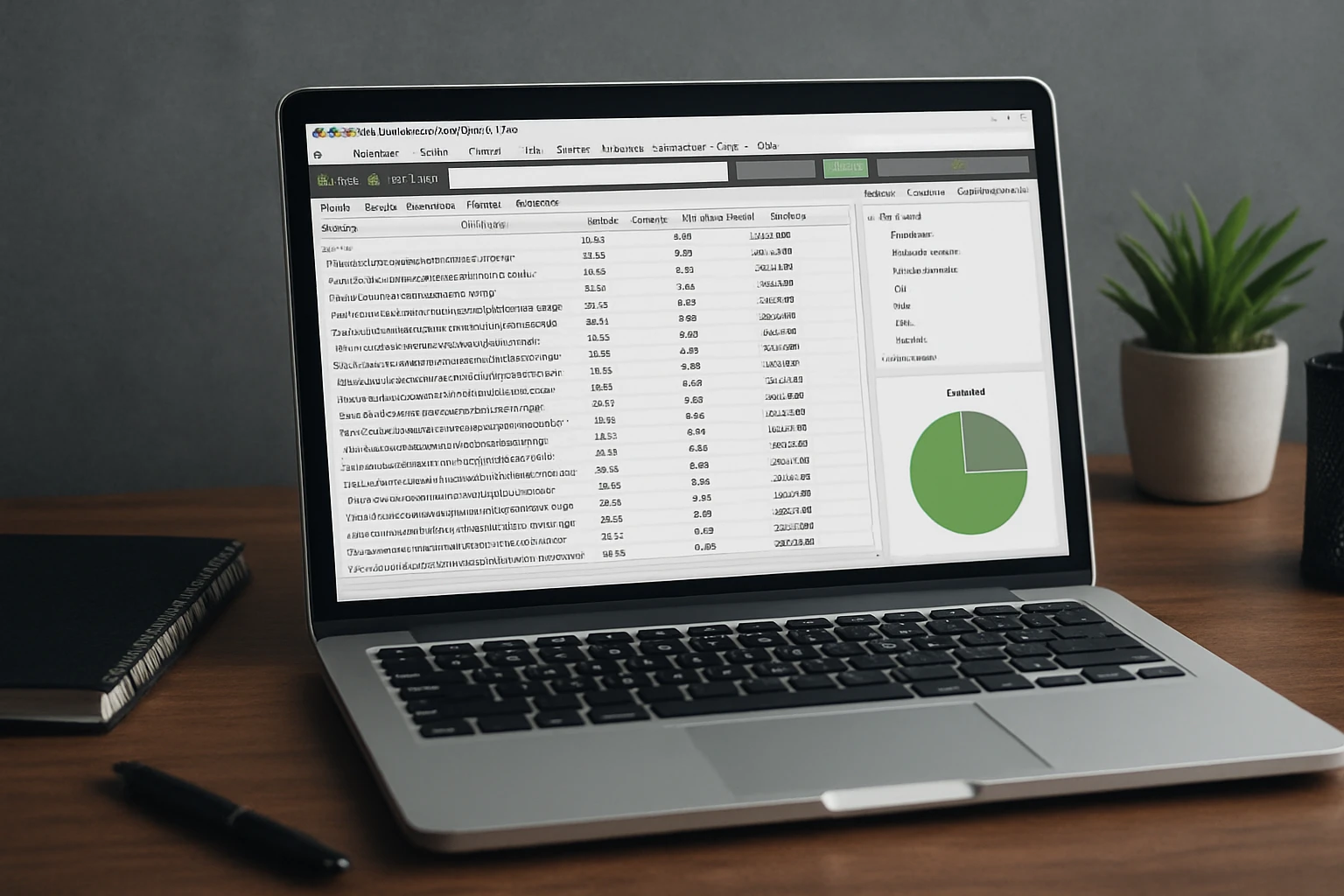
If you live for surgical detail, Screaming Frog is the power tool that lets you open the hood and query anything. It is a desktop crawler that handles custom extraction, JS (JavaScript) rendering, and bulk exports, so you can audit meta elements, structured data, canonical tags, and response codes at scale. I often spin up a crawl while testing a staging environment to confirm redirect logic and spot any robots or noindex directives that might block launch. The learning curve is steeper than plug-and-play tools, but for hands-on practitioners it feels like a microscope that shows exactly where a template breaks.
- Best for: Technical marketers and developers who want granular control.
- Signature checks: Faceted navigation, parameter handling, pagination, and custom HTML (HyperText Markup Language) extraction.
- Pro tip: Combine with a CDN (content delivery network) or log samples to see how bots differ from users.
#6 Google Search Console plus Lighthouse Checklist
Google’s native tools are unbeatable for ground truth on indexation and performance. In Google Search Console, Coverage and Page Indexing reports tell you why pages are excluded, while Sitemaps and the robots tester help confirm directives. Lighthouse and PageSpeed Insights break down performance with Core Web Vitals, resource waterfalls, and JS (JavaScript) impacts, which is essential when pinpointing render-blocking scripts or oversized images. The magic happens when you triage exclusions in Google Search Console, validate fixes, and then recheck performance with Lighthouse so you balance crawling, indexing, and speed together.
- Best for: Validating how Google actually sees your site and measuring speed improvements.
- Signature checks: Indexation reasons, structured data errors, Core Web Vitals, mobile friendliness.
- Pro tip: Use the Inspect URL (uniform resource locator) feature to test live pages after each fix.
#7 Sitebulb Technical Audit Checklist
Sitebulb is the storyteller of audit tools, turning dense data into digestible hints and diagrams that non-technical stakeholders love. Its interface explains why each issue matters, how to fix it, and how severe it is, which shortens feedback loops between marketing and development. The visualizations of internal linking, crawl maps, and template clusters help you see architecture problems you would otherwise miss in a flat spreadsheet. If you have ever tried to explain crawl depth to a busy executive, showing a Sitebulb graph beats a thousand words.
- Best for: Visual learners and cross-functional teams who want context with the data.
- Signature checks: Internal link graphs, thin content flags, structured data coverage, and international sites.
- Pro tip: Export the issue list with explanations as your living backlog to keep momentum high.
#8 Lumar (Deepcrawl) Enterprise Checklist
Lumar, formerly Deepcrawl, shines when scale and governance matter as much as speed. It crawls millions of pages, monitors changes, and helps enforce technical SEO (search engine optimization) standards across teams, which a lot of enterprises need to stay compliant and consistent. I particularly like the change tracking across releases, because it is easy for regressions to slip in during sprints. If your organization has many stakeholders and complex workflows, the platform’s roles, alerts, and integrations can prevent issues from festering for months.
- Best for: Enterprises that need governance, change monitoring, and deep scalability.
- Signature checks: Large-scale crawling, duplicate detection, JavaScript rendering, status code distributions.
- Pro tip: Tag critical templates so alerts focus on revenue pages, not noise.
#9 SE Ranking Website Audit Checklist
SE Ranking offers a friendly yet powerful audit that covers 115 plus checks with straightforward scoring and practical fixes. It is excellent for SMB (small and medium-sized business) teams that want a quick read on priorities without hiring a specialist for every step. The tool connects naturally with rank tracking and on-page modules, helping you correlate fixes with movements on the SERP (search engine results page). If your goal is a clean backlog and better collaboration, this is a solid middle ground between simplicity and depth.
- Best for: SMB (small and medium-sized business) and marketing teams that want clarity and speed.
- Signature checks: Metadata, internal linking, images, redirects, and Core Web Vitals.
- Pro tip: Align your audit schedule with content publishing to catch technical debt before it piles up.
#10 JetOctopus Crawl and Log Checklist
When scale and server behavior are your bottlenecks, JetOctopus brings the heat with fast crawls and real log analysis. You can see what bots actually crawl, where they waste time, and how frequently critical pages are visited, which is a game-changer for large catalogs and news sites. The interface helps you zero in on crawl budget drains like parameter traps, infinite calendars, and unlinked search results pages. For teams managing hundreds of thousands of pages, this perspective is often the missing link between theory and reality.
- Best for: Large sites that need crawl budget insights and bot behavior visibility.
- Signature checks: Log file analysis, crawl frequency, infinite loops, and server responses.
- Pro tip: Pair log insights with internal link fixes to guide bots toward money pages.
#11 Ryte Website Success Checklist

Ryte positions itself at the intersection of website quality and performance, with strong Core Web Vitals coverage and content quality checks. It is particularly helpful if you are balancing SEO (search engine optimization), legal, and brand standards, because it monitors many quality signals at once. The dashboards visualize how fixes affect performance and visibility, which is useful when you need to defend resourcing in a quarterly review. If a clean, health-first platform appeals to your leadership team, Ryte is worth a look.
- Best for: Teams that value site quality and performance equally.
- Signature checks: Performance bottlenecks, broken resources, thin pages, and mobile readiness.
- Pro tip: Use the Vitals data to brief developers in plain language and agree on measurable targets.
#12 WooRank Practical Quick-Win Checklist
WooRank is the fast-twitch option when you need a simple readout and immediately actionable items. It delivers an instant overview of on-page elements, basic performance hints, and mobile usability so you can fix low-hanging fruit today. I like it for audits that precede a redesign, because it helps confirm what is working and what can be sunset without extensive crawling. If you want a lightweight companion to a deeper audit, it is a handy starting point that non-technical teammates can use without training.
- Best for: Quick wins and stakeholder-friendly snapshots.
- Signature checks: Title and description tags, basic performance, and mobile basics.
- Pro tip: Tackle the top five items immediately to build momentum and buy-in for a deeper pass.
How to Choose the Right Option for Your Team
Start with your business model and constraints, not the shiniest tool. If you run multi-location pages and need foot traffic, you will want a checklist that emphasizes local landing page architecture, reviews, and structured data while still hitting crawl and speed fundamentals. If you own a massive catalog, prioritize crawlers and log analysis to protect crawl budget and surface template-level patterns. And if executive buy-in is your hurdle, select platforms that translate data into visuals and business impact, then pair them with a partner like Internetzone I to close the loop from diagnosis to fixes.
| Business Scenario | Top Picks | Why It Works |
|---|---|---|
| Local services or retail with many locations | Internetzone I, Google Search Console plus Lighthouse, Sitebulb | Balances local signals, indexation truth, and easy visuals for stakeholders |
| Large eCommerce with deep catalogs | JetOctopus, Lumar (Deepcrawl), Screaming Frog SEO Spider | Scales crawling, adds log insights, and enables granular template audits |
| SMB (small and medium-sized business) teams needing speed | SE Ranking, WooRank, Moz Checklist | Quick priorities, digestible guidance, and clear next steps |
| Enterprise with strict governance | Lumar (Deepcrawl), Semrush Site Audit, Ahrefs Site Audit | Monitors change, standardizes workflows, and supports reporting at scale |
Want a sanity check on your short list? Here is a simple two-step stress test we use at Internetzone I. First, pull your top five revenue templates and confirm the checklist audits each one for crawlability, canonicalization, structured data, and speed with measurable thresholds. Second, validate that it exports clean tasks your developers accept with minimal translation, because the best audit is the one your team can actually implement fast. If a tool or checklist fails either test, move on.
What Happens After You Pick a Checklist?
Selection is step one. The play that drives results is pairing a rigorous checklist with a fix-first workflow, a cadence for re-crawls, and owners for every issue class. At Internetzone I, we combine National and Local SEO (search engine optimization), Web Design that is mobile responsive and SEO-focused, eCommerce solutions, Reputation Management, Adwords-Certified PPC (pay-per-click) Services, and Managed Web Services to turn audit insights into durable gains. For example, a multi-location healthcare client saw a 38 percent lift in organic appointments in 90 days after we cleaned up duplicate location pages, added review schema, tightened internal links, and shipped performance wins across templates. The same approach scales to national catalogs when you map issues to the product taxonomy and prioritize by inventory and margin.
Thinking about developer handoff? Reduce friction by writing fixes in product language, using acceptance criteria like measurable speed targets, structured data validation, and an explicit crawl-index-render checklist per template. Share a simple diagram in your audit deck that shows how a search engine bot enters through your homepage, traverses category pages, and lands on products or locations; then label where each fix guides the crawl deeper, faster. That mental model turns abstract recommendations into a roadmap your partners will embrace.
Why Internetzone I’s Process Keeps Working in 2026
Search keeps evolving, but the fundamentals remain: fast pages, clear architecture, and content that answers intent. Our audits align those fundamentals to business outcomes, so you are not just chasing a site health score, you are building a growth engine. We monitor the ripple effects in analytics, paid media, and reputation management, because strong technical foundations also reduce ad costs, improve conversion rates, and strengthen reviews. If you have struggled to tie audit work to revenue, this is your year to fix the root causes and compound wins with each release.
Two quick data points we see again and again. Sites that move Largest Contentful Paint under 2.5 seconds typically enjoy meaningful gains in conversions and ranking stability, and reducing redirect chains tends to lift crawl efficiency within a few weeks. Multiply those across your key templates and you have the blueprint many brands need for durable, predictable growth.
Expert Tips to Make Any Checklist 2x More Valuable
- Schedule re-crawls: Treat your audit like a product sprint. Re-test after each release and track deltas so wins are visible.
- Map issues to templates: Instead of fixing scattered pages, fix the system at the template level for scale.
- Bundle fixes: Ship structured data, internal links, and performance improvements together on high-value templates to maximize impact.
- Prioritize by money, not score: Tackle pages and templates that affect revenue, leads, or store visits first.
- Close the loop: Tie findings to tickets, owners, deadlines, and a simple success metric like crawl rate, indexation percentage, or conversion rate change.
At Internetzone I, we live by a simple question during every audit review: What one decision can we make today that ships the most impact this sprint? When you approach audits with that bias for action, the checklist becomes a compass, not a chore list. That is how you turn site health into brand health.
Ready to Win the Next Twelve Months?
Here is the promise: the right checklist plus a fix-first cadence can turn technical debt into an engine for rankings, revenue, and reputation. Imagine your team shipping a faster, cleaner site every sprint while location pages rise, reviews shine, and paid media gets cheaper because quality improves across the board. Which checklist will you trust to guide your next seo technical audit?
Elevate Rankings with Internetzone I for National & Local SEO
Internetzone I turns your SEO (search engine optimization) technical audit into action with National & Local SEO, boosting visibility, reputation, and conversions for companies of all sizes.